
QR menu · ordering · GST billing
Menu, orders and bills — all from one QR
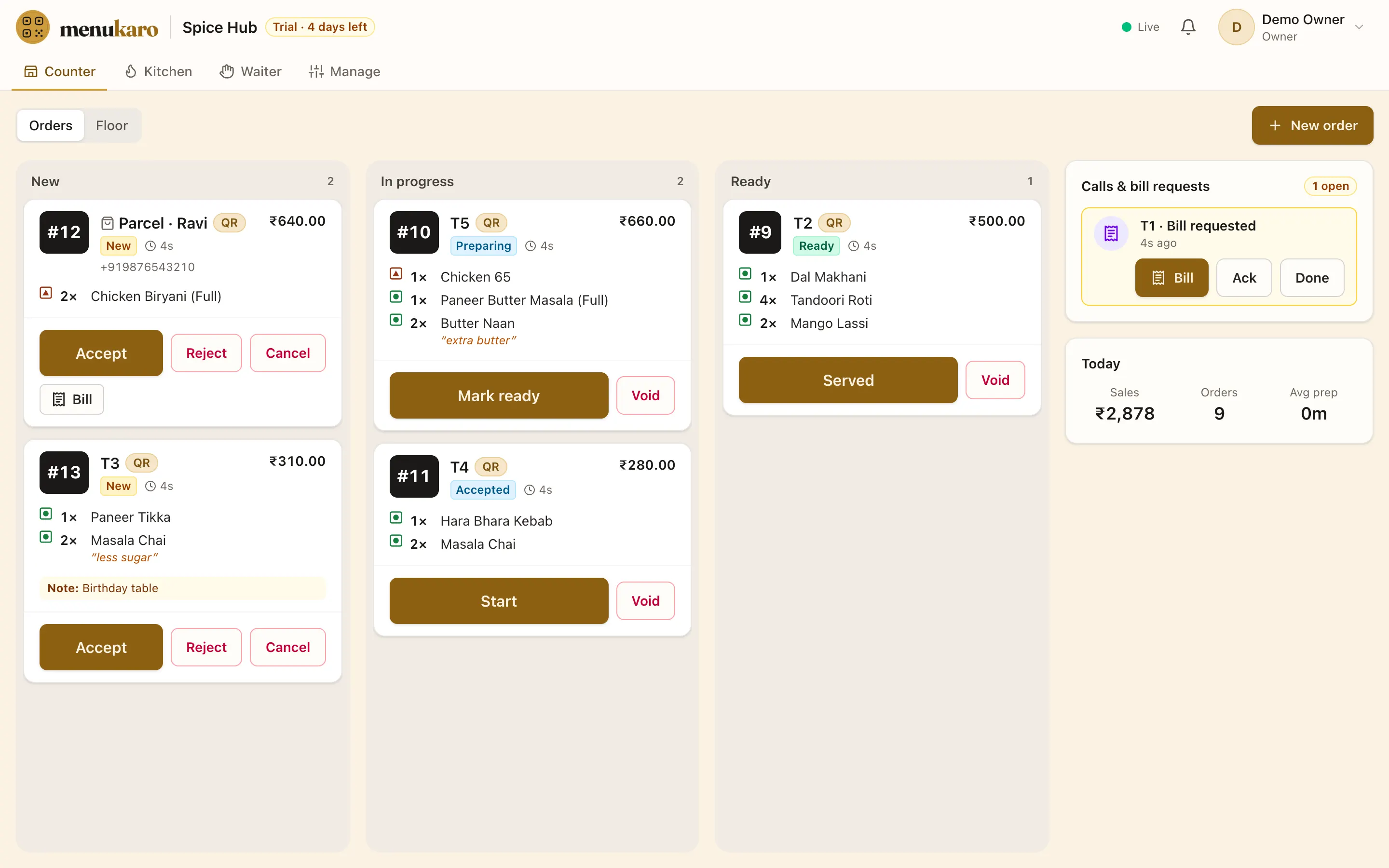
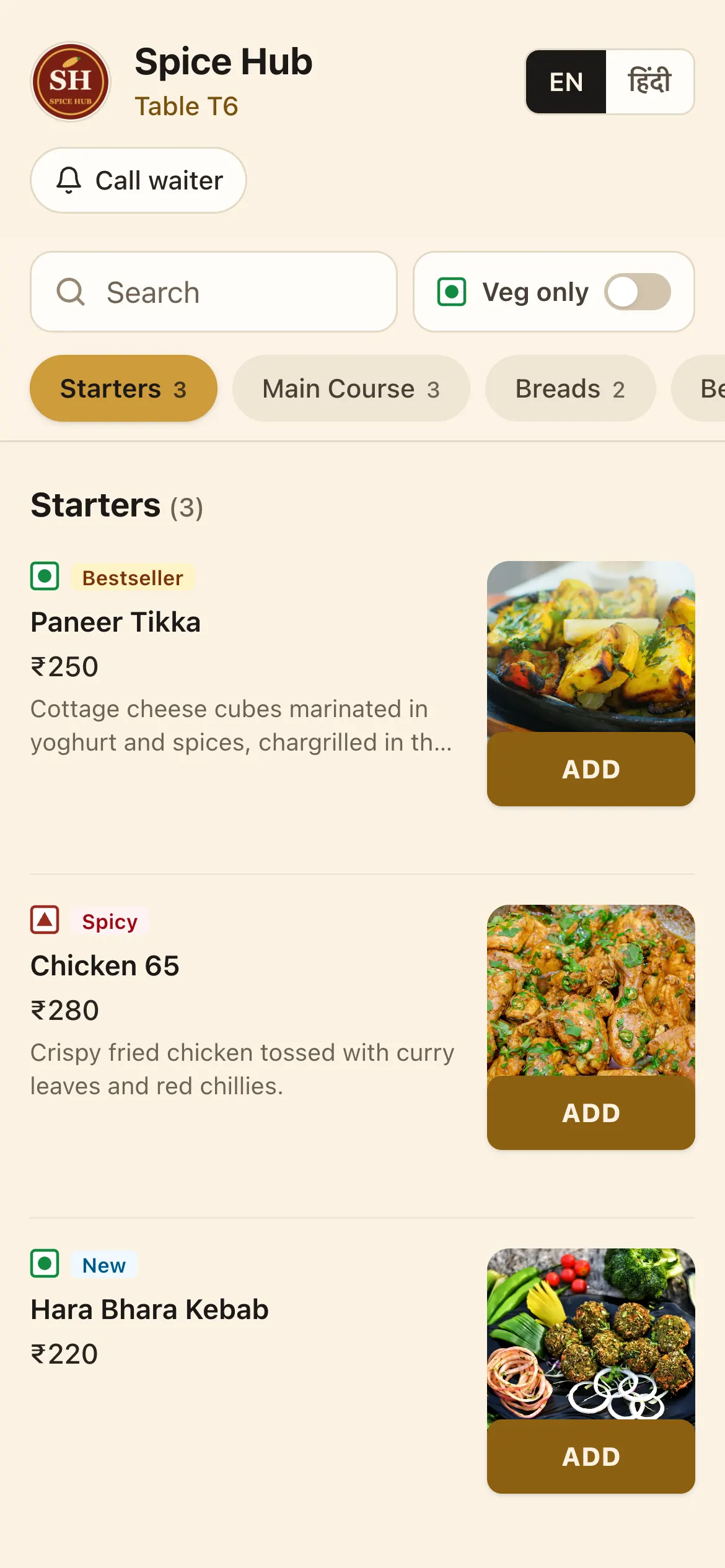
Guests scan the QR on the table, see your menu in English or हिंदी and order from their own phone. Your counter, kitchen and waiters see it instantly, and the GST bill is ready when they are.
- No app or sign-up for guests
- Runs on the phones and tablets you have
- Plans from ₹299 / month + GST
- No card needed for the trial
The problem
Five everyday restaurant headaches — and what changes with Menu Karo
-
Prices change, so the menus get reprinted again
Change a price once. Every QR code shows the new price within a minute.
-
Rush hour means missed, wrong or lost orders
Every order rings on the counter until someone accepts it, exactly as the guest typed it.
-
Waiters running paper KOTs to the kitchen
Orders reach the kitchen screen the moment they're placed. Chefs tap Start and Ready.
-
Guests waving for the waiter, then for the bill
“Call waiter” and “Request bill” are one tap on the guest's phone and pop up on your staff's screens.
-
The day ends and you're not sure what sold
Sales, top dishes and busy hours are added up as you go — with charts that show what's growing.
-
Guests order themselves. Your team cooks, serves and bills.
Menu Karo doesn't replace anyone — it takes order-writing, chit-running and adding up bills off your staff at rush hour.
How it works
Follow one order, from table to bill
-
1 Scan
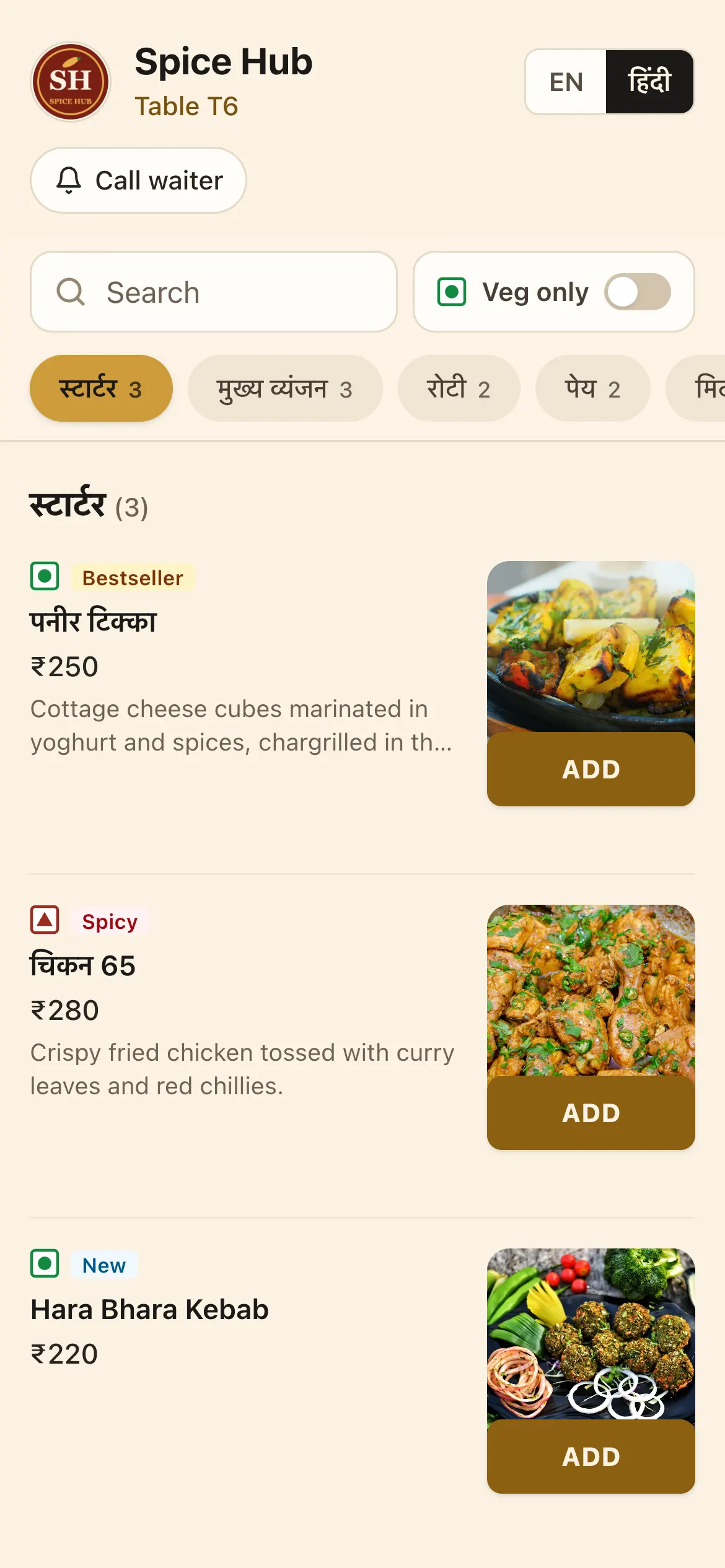
The guest scans the QR on the table. Your menu opens in their browser — English or हिंदी, no app.
-
2 Order
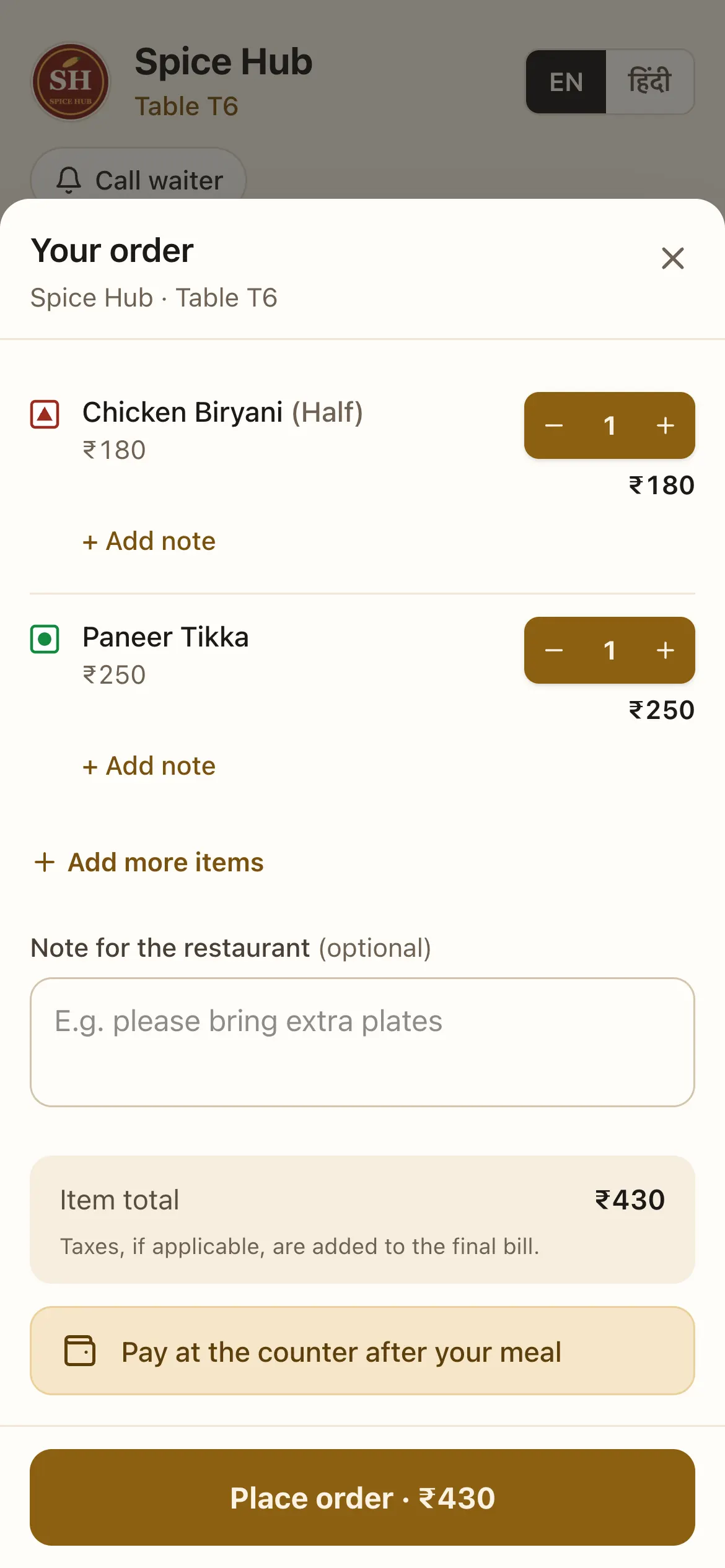
They add dishes, pick Half or Full and tap Place order. The order rings on your counter.
-
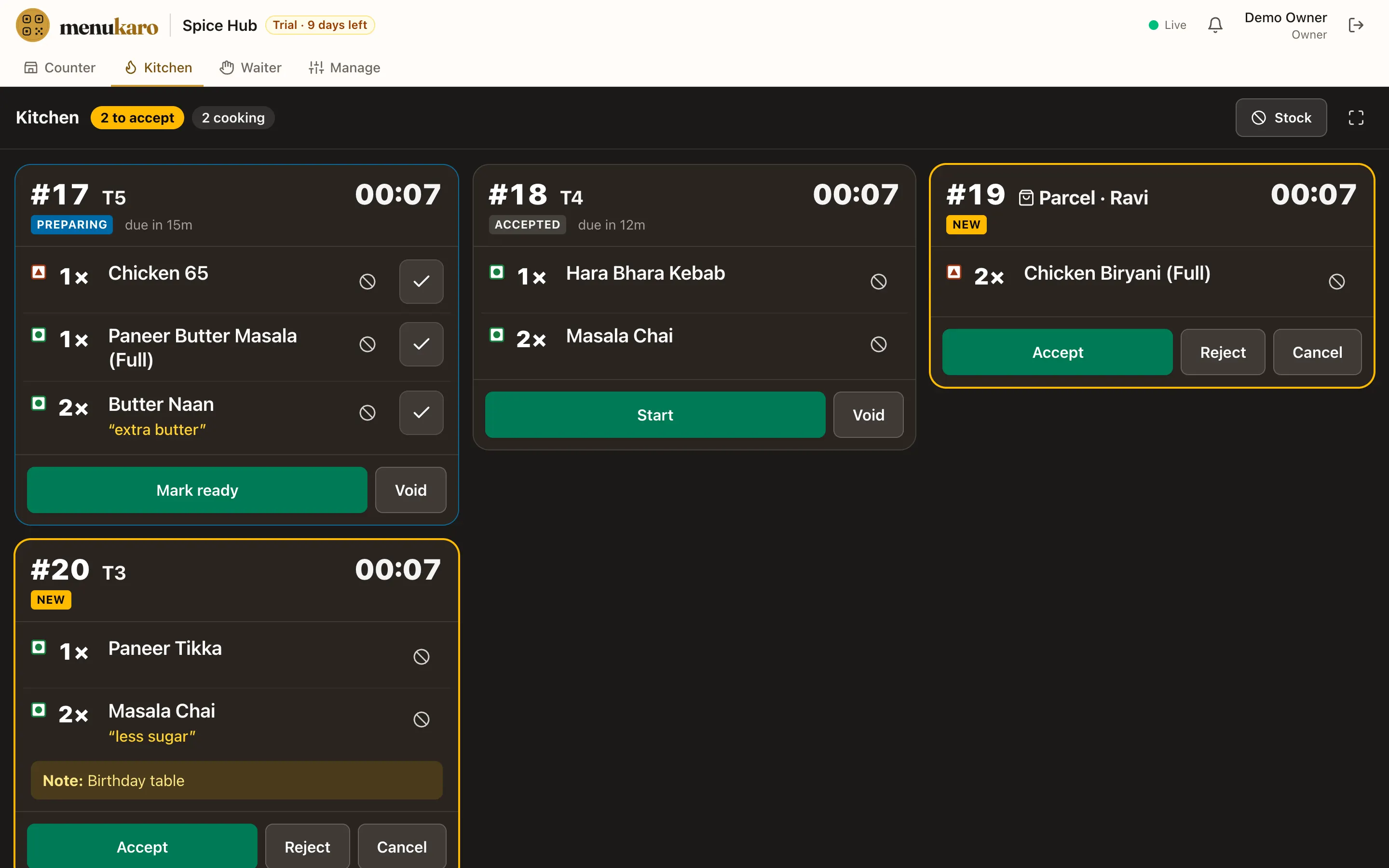
3 Cook
The kitchen screen shows the ticket. The chef taps Start, then Ready, and the waiter is told.
-
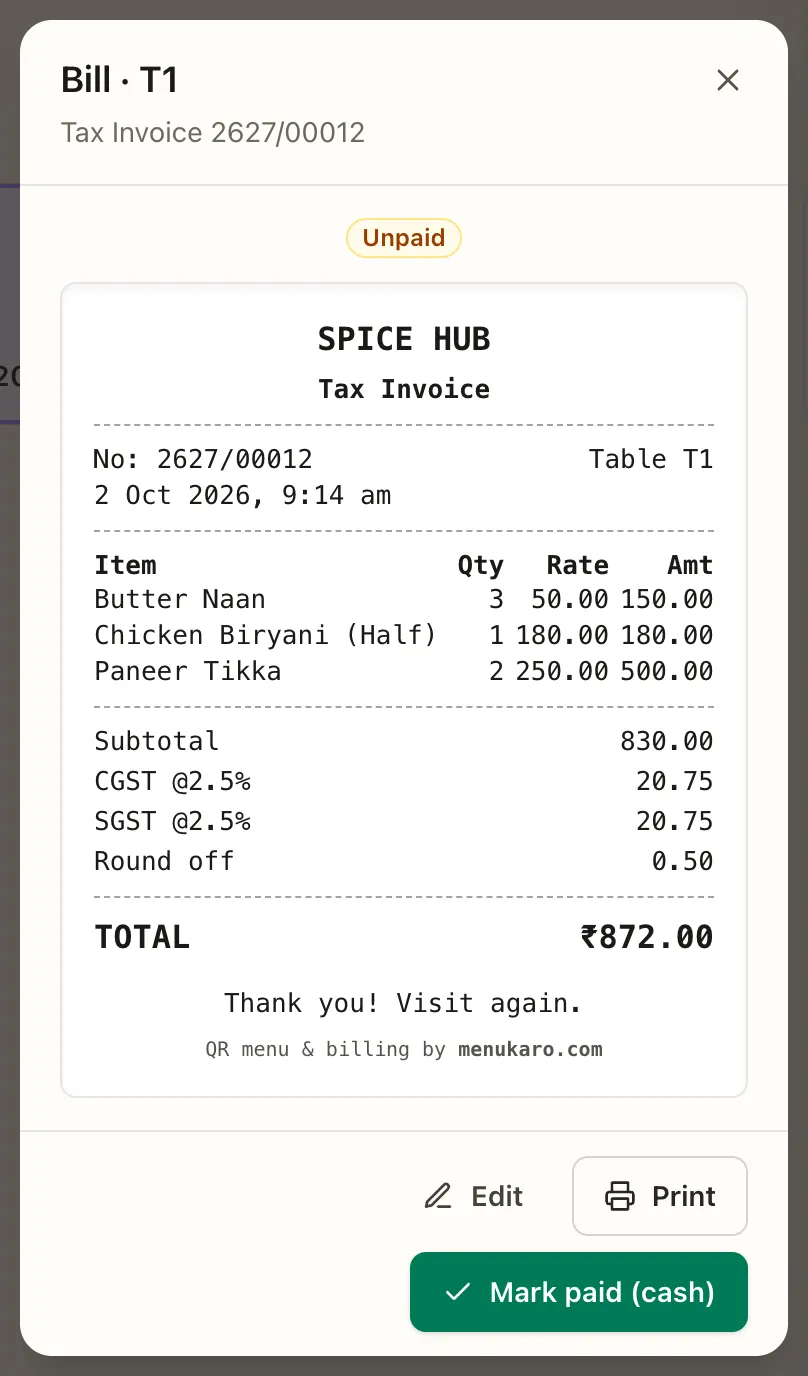
4 Bill
The GST bill is worked out for you. Mark it paid in cash and the table is free again.
Parcel orders work the same way: takeaway guests scan one parcel QR at the counter.
Built for everyone at your place
For your guests
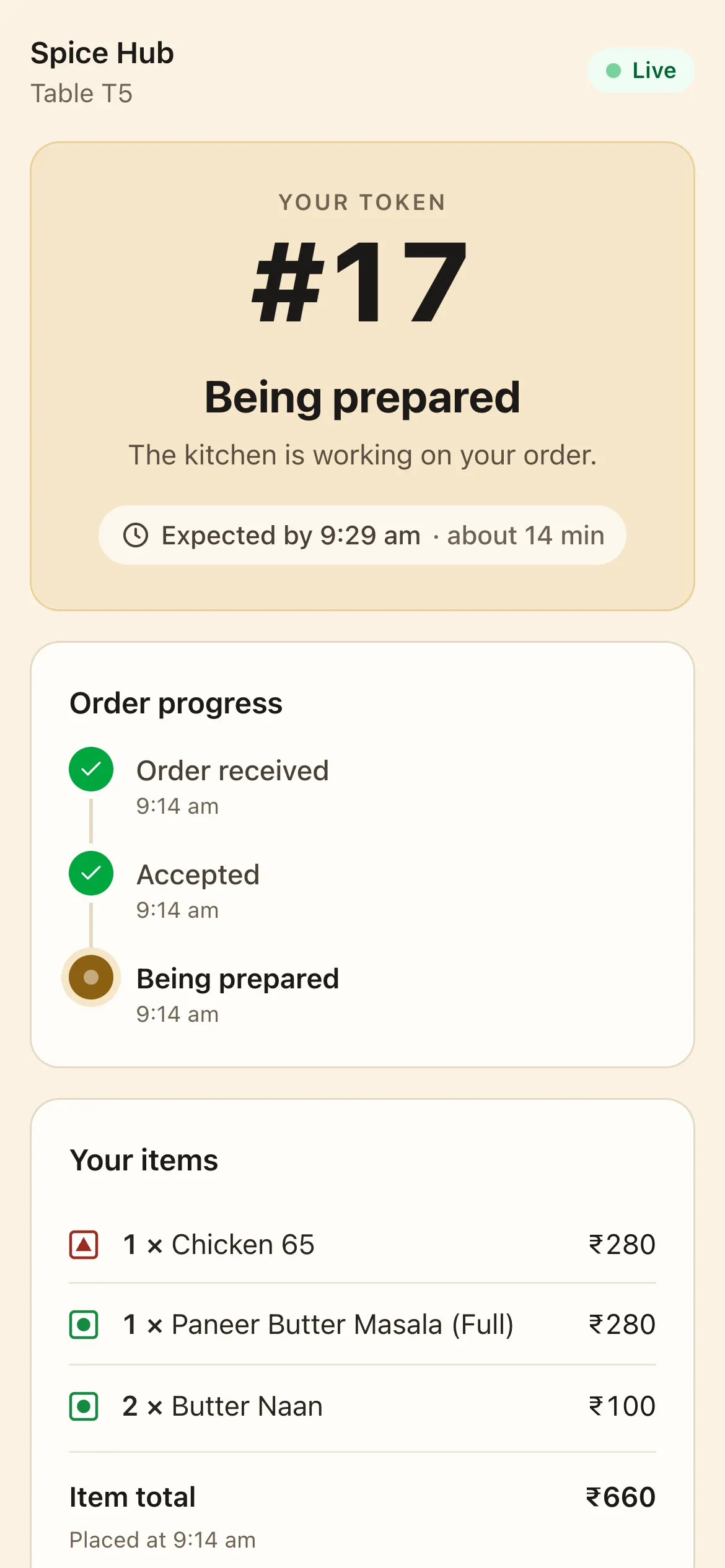
Scan, order and track — on their own phone
- Menu in English or हिंदी, with veg-only filter and search
- Photos, prices and tags like Bestseller, Spicy or New
- Half / Full and other portions at your prices
- Live order status with a token number and expected time
- Call waiter and Request bill buttons; the final bill on the phone
- No app to download, no account, no password
For your team
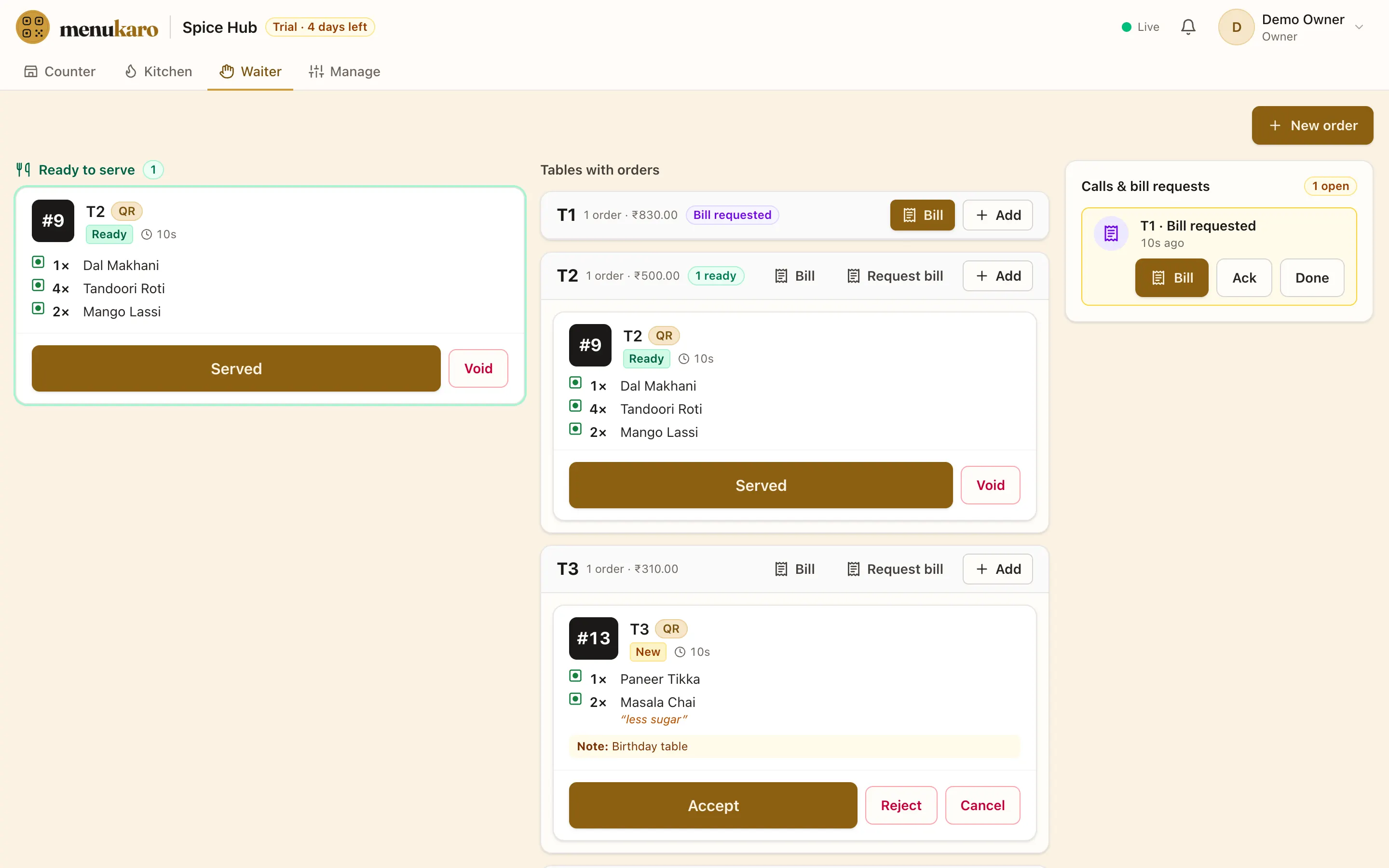
Every order rings on the right screen
- Counter: new orders ring until accepted; New → In progress → Ready
- Kitchen screen: Start, Ready, mark a dish sold out
- Waiter and runner phones: table calls and food ready to serve
- Staff can place orders for guests who prefer to tell a person
- Late orders are flagged before the guest has to ask
- Screen switched off? The Counter takes over
For owners
Control from anywhere, numbers at closing
- Change prices, add dishes or mark items out of stock anytime
- Correct GST bills with invoice numbers in order
- Floor view: which tables are free, occupied or asking for the bill
- Insights: revenue growth, best-selling dishes, busy hours and festival days
- Every order in one log, with amounts — download it for Excel anytime
- Each role sees only its job; discount limits per role
- Voids, discounts and price changes are recorded with who did them
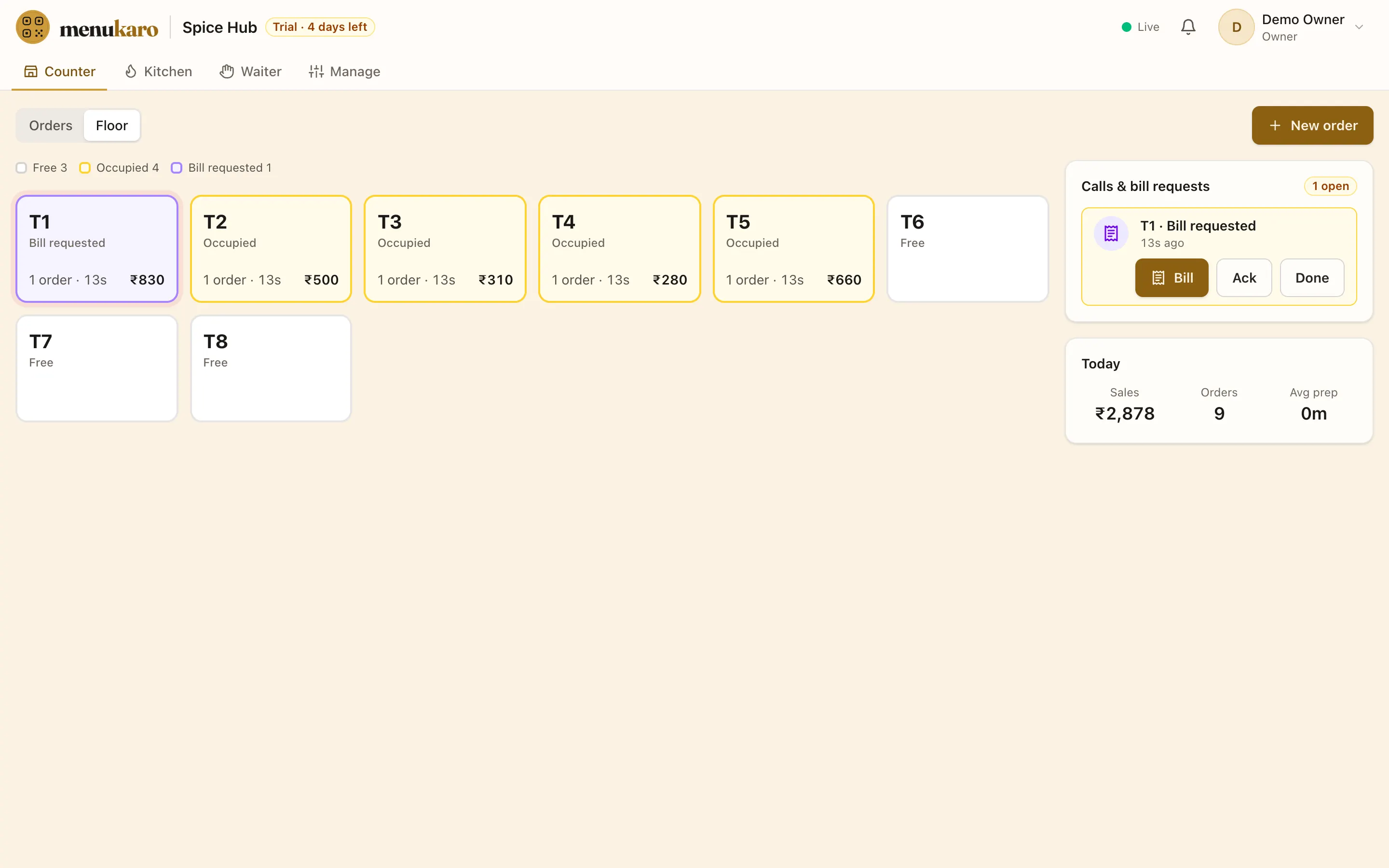
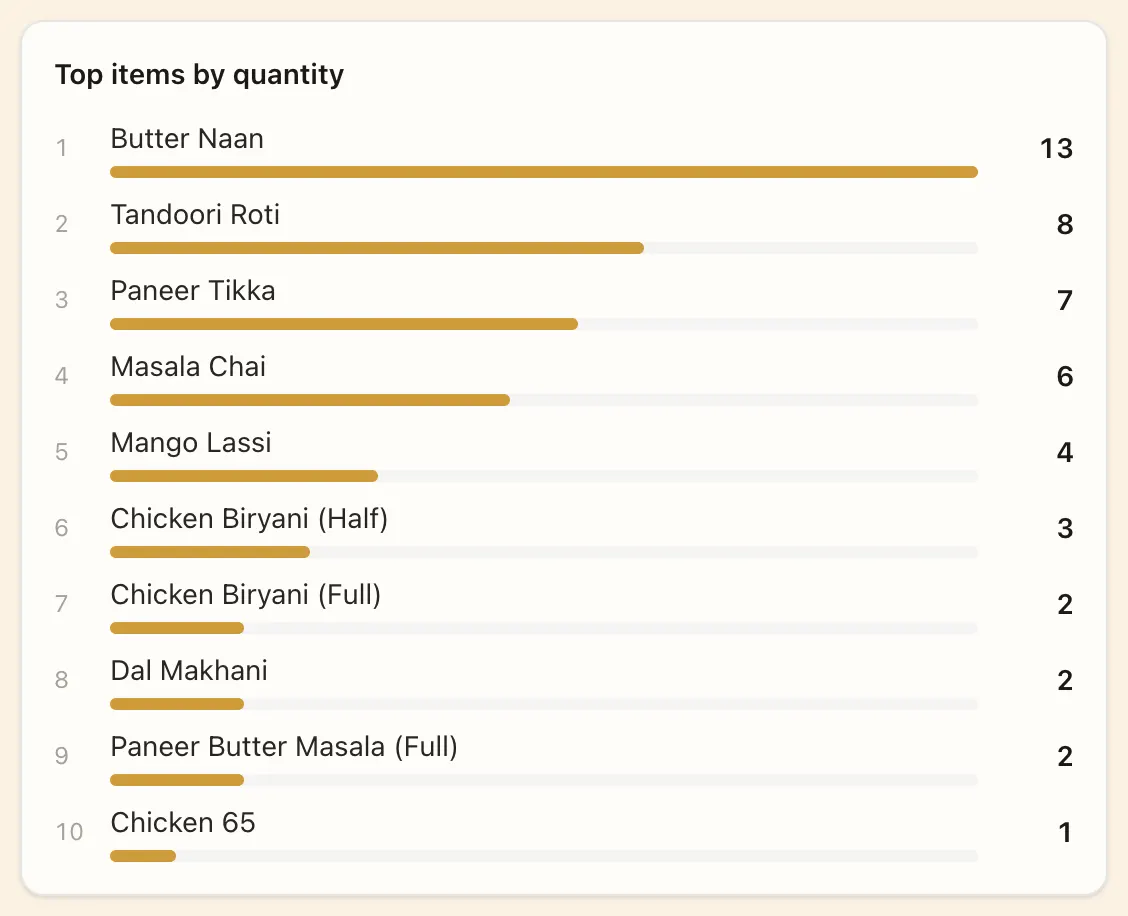
All screens are from our demo restaurant, Spice Hub, with sample data. See every feature
For owners and managers
Know what's working — and plan for the busy days
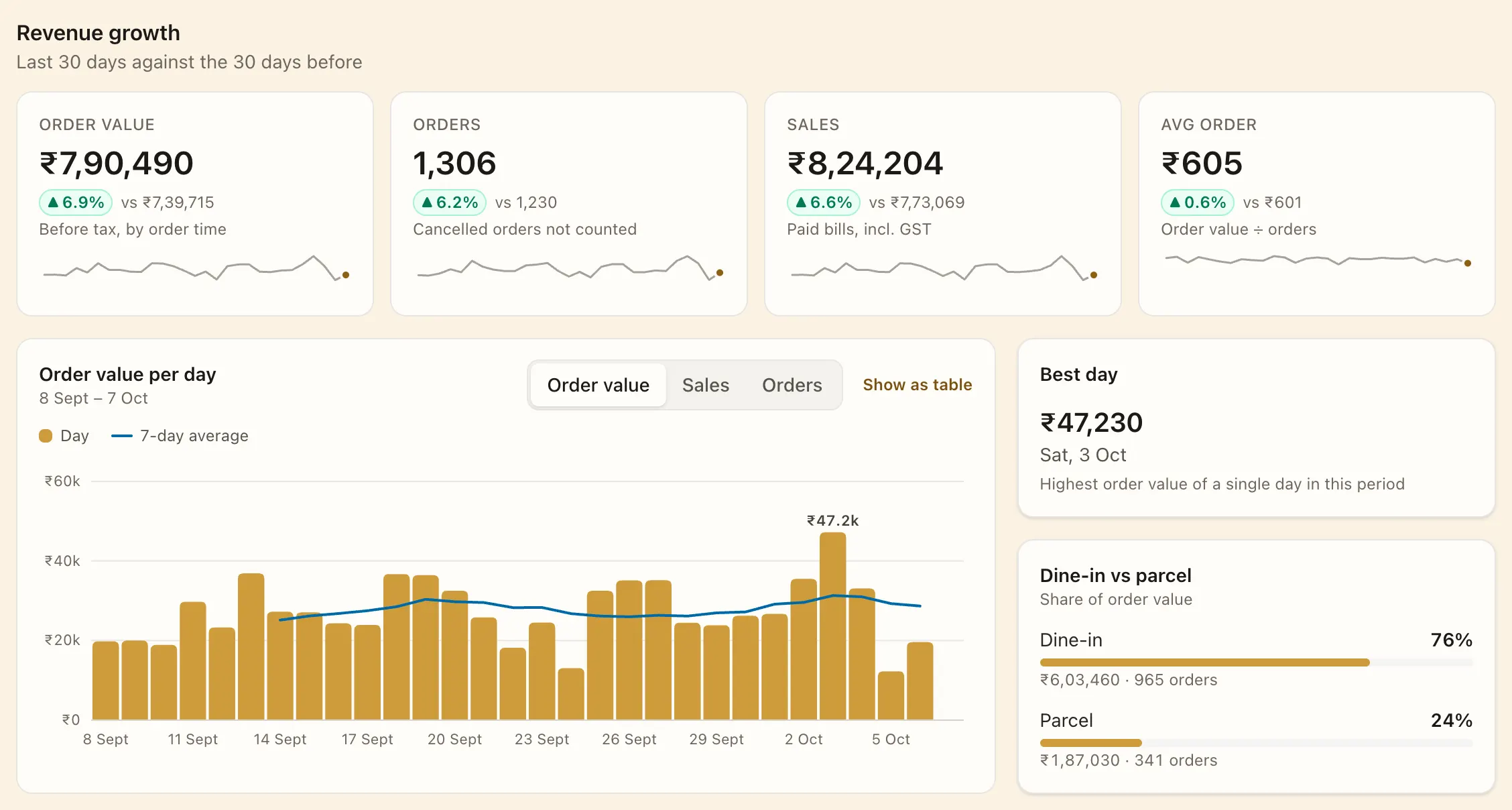
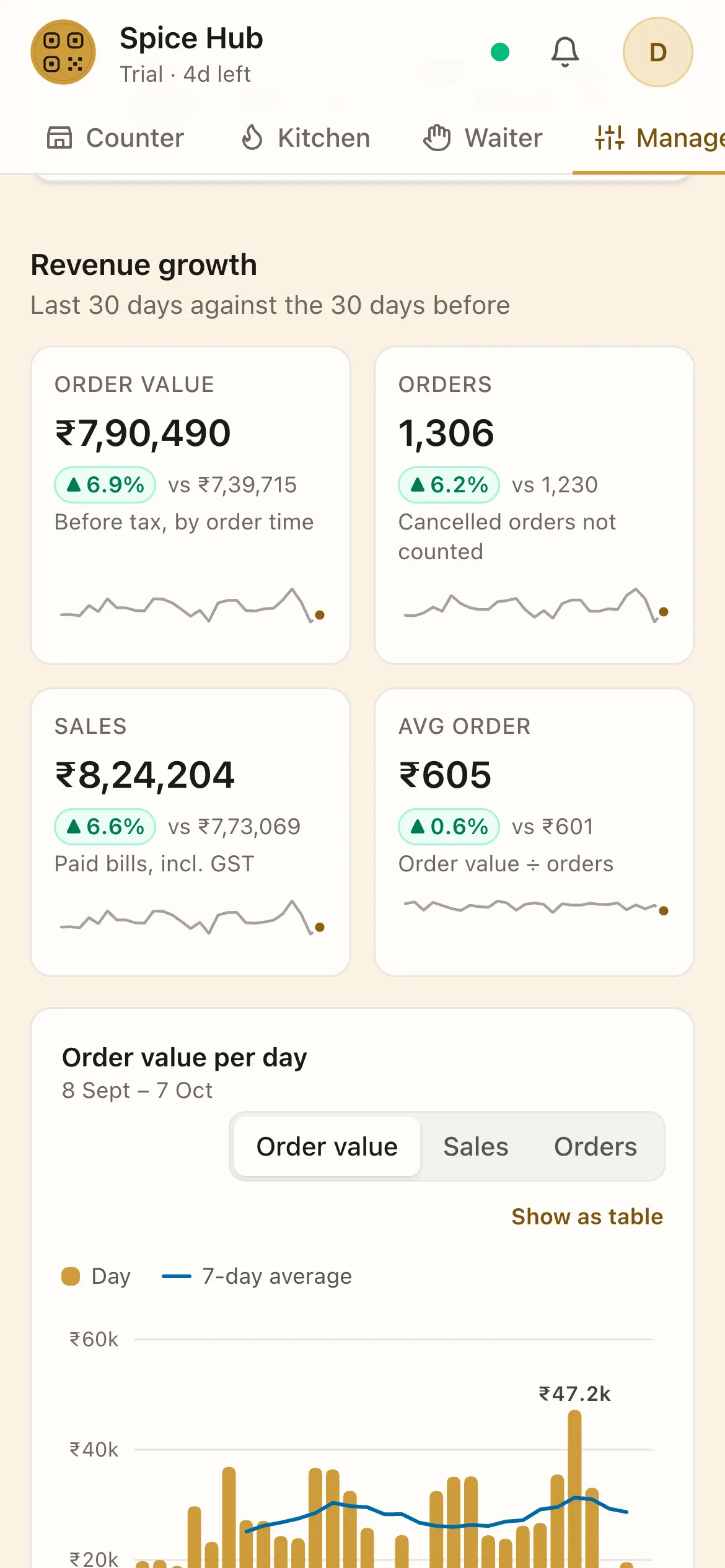
Every order feeds your Insights page. See today against yesterday and last week as it happens, which dishes are growing, when guests come, and how festivals went — on your laptop or your phone.
-
Revenue growth
Order value, orders, sales and average order against the period before, with a daily chart and a 7-day average.
-
What's selling
Your top 10 dishes, the ones rising and falling, new dishes, and slow movers worth a promo.
-
Busy hours
Orders by day and hour, your best weekday, and what sells at lunch and at dinner.
-
Festivals and holidays
The festivals coming up in the next 60 days, and how past ones went against a normal day — plan stock and staff.
-
Trends in your area
What's popular at Menu Karo restaurants in your city — anonymous shares only, never names or amounts.
-
Order log and download
Every order with its amount, bill and status. Search by token, table or dish, and download it for Excel.
Every order, with its amount — ready for your accountant
The Order log lists every order of any day or date range: token, time, table or parcel, items, order value, bill number and payment. Totals sit on top; one click downloads it all as a CSV file that opens in Excel.
See Insights and reports in detail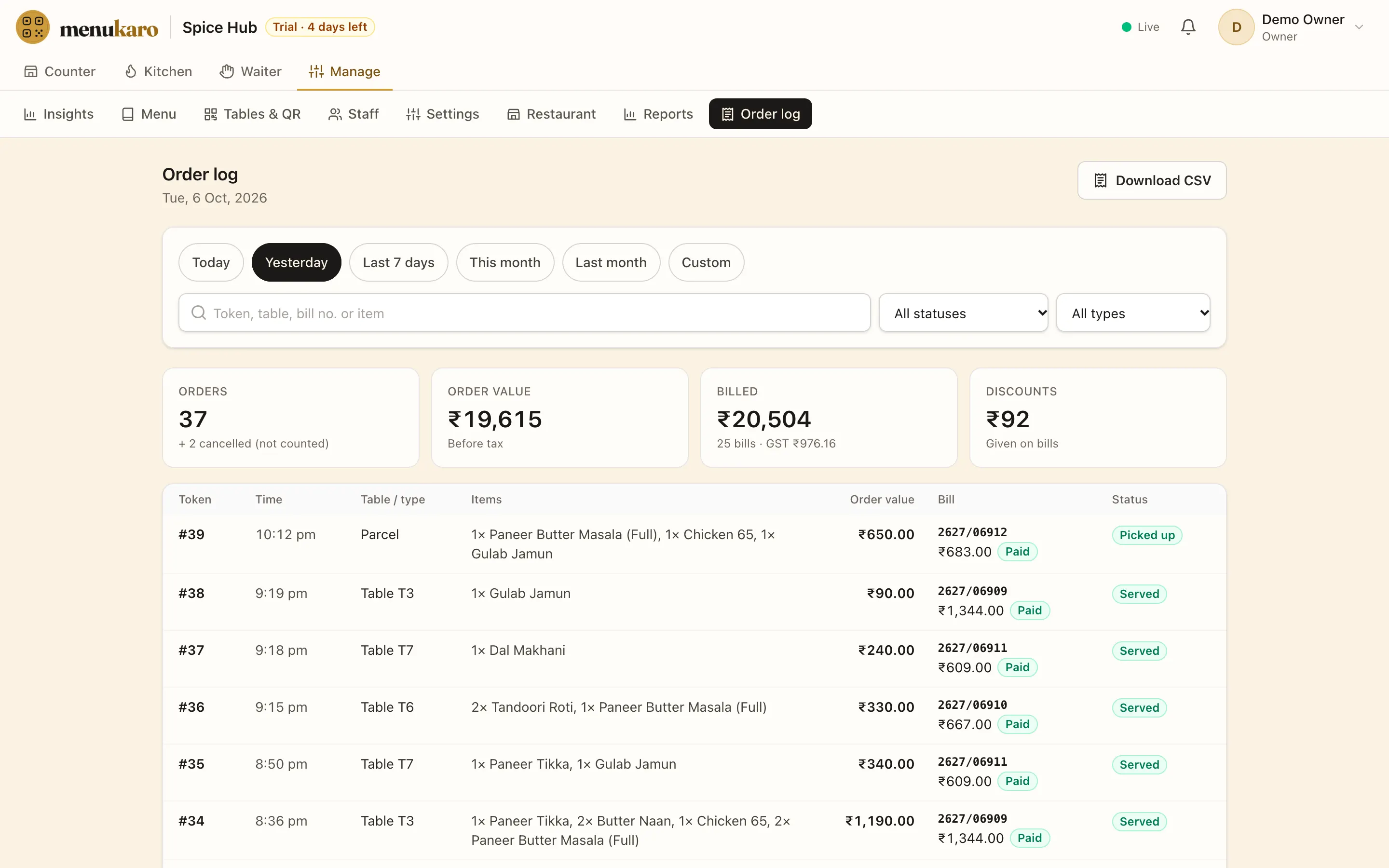
Your data is safe
Backed up every night. Locked to you.
Your menu, orders and bills are copied to a separate, encrypted backup every night, so nothing is lost even if something goes wrong. And your login can be as strict as you like.
-
Backed up every night
A full copy of your restaurant's data is saved every night, encrypted, and kept for 30 days — apart from the app's own server.
-
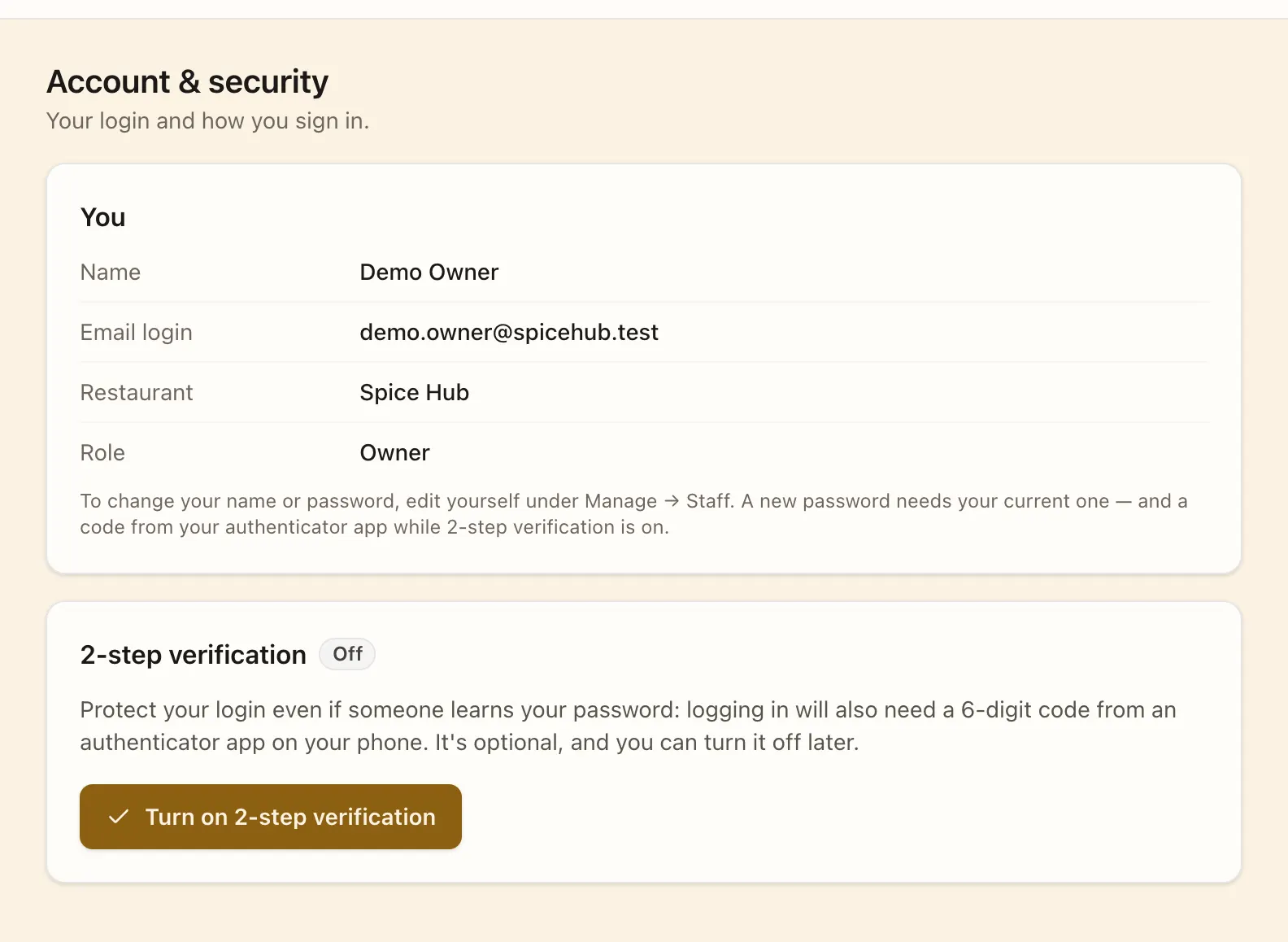
Optional 2-step login
Add a 6-digit code from an authenticator app, so a leaked password alone can't open your account.
-
Email alerts
We email you when your password or 2-step login changes — you'd know at once if it wasn't you.
-
Forgot your password?
Reset it yourself with a link sent to your email. The link works once, for 30 minutes.
-
Your data, kept apart
Each restaurant's data is separated in the database itself, and each staff role sees only its own work.
-
Stored in India
The app, your data and the nightly backups are all kept in India (Mumbai).
Fits a tea stall or a full-service restaurant
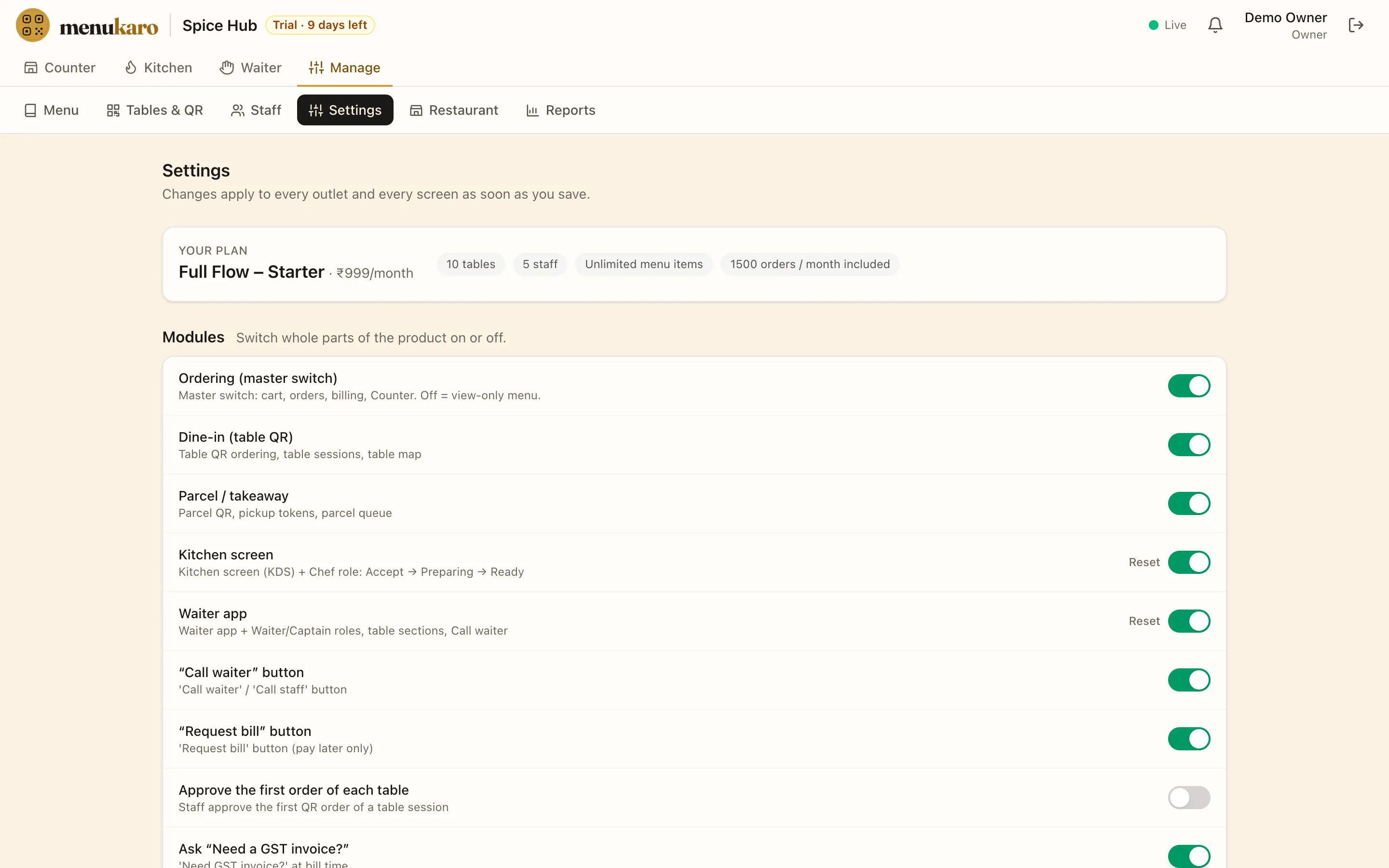
Switch on only what you use
A café run by two people can run everything from the Counter on one phone. A busy restaurant adds the kitchen screen and waiter phones. Switch modules on or off anytime — the price stays the same.
- Available
Counter
Always on. New orders, billing, cash, parcel hand-over — and every step no one else covers.
- Available
Table QR ordering
One QR per table. Everyone at the table adds to the same running bill.
- Available
Parcel QR
One QR at the counter for takeaway, with name, mobile and a pickup token number.
- Available
Kitchen screen
A tablet or TV in the kitchen: accept, start, ready, sold out.
- Available
Waiter app
Captains and waiters on their phones: table calls, food ready to serve, orders for guests.
- Available
Pay first (QSR)
Cash at the counter confirms the order and the bill in one step.
- Available
Thermal printing
KOT, bill and token printing on thermal printers.
- Available
Hotel rooms
Room QR, stays and charge-to-room for in-room dining.
Your menu, your way
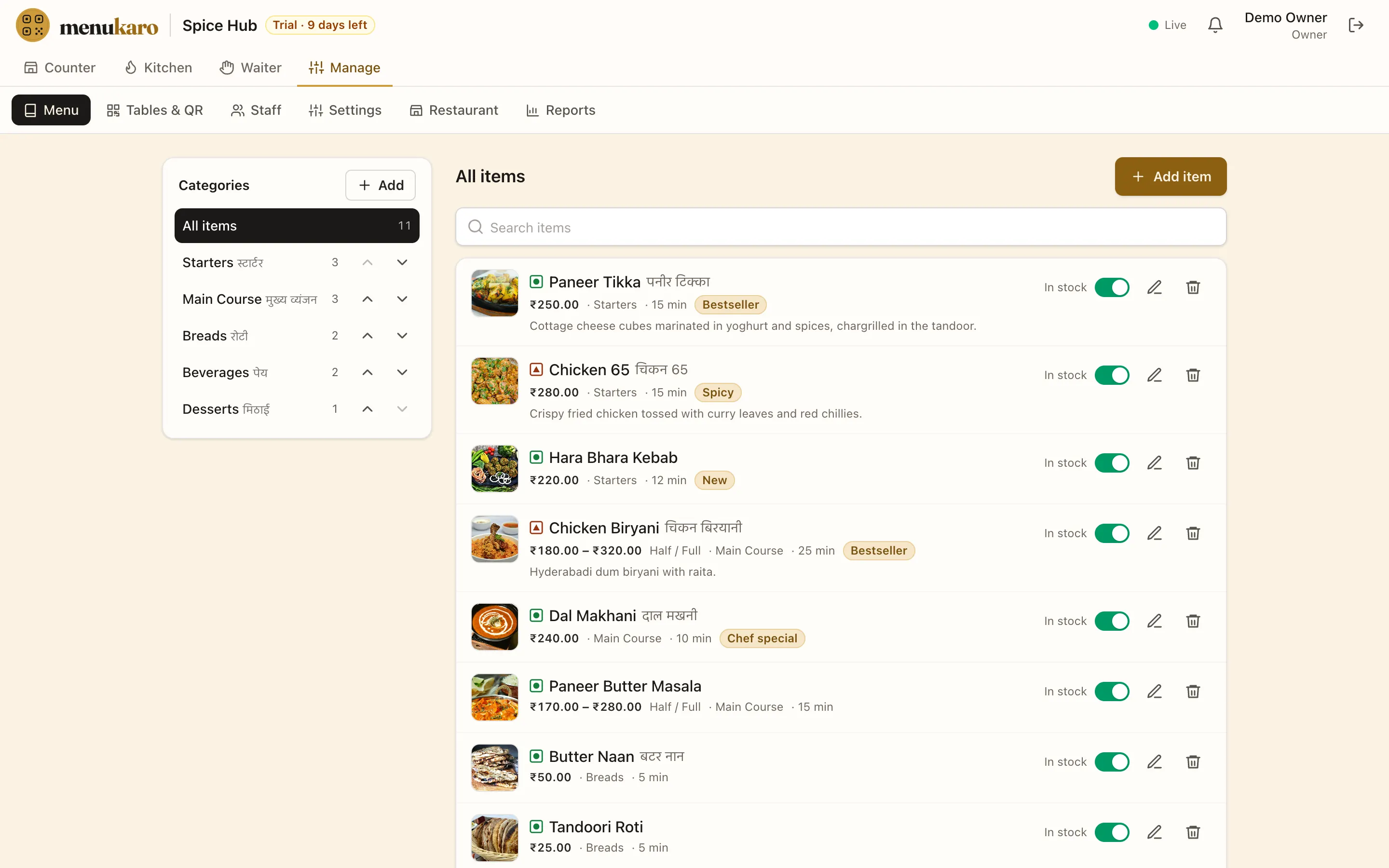
Set up in a day, change it in a minute
- 1 Sign up in minutes Choose your type of place and GST status — Menu Karo sets itself up to match.
- 2 Add your menu Type it in with Hindi names, portions and photos — or send us a photo of your menu and we'll enter it.
- 3 Print your QR cards One per table, plus a parcel QR, straight from the Tables page.
- 4 Take orders On the phones, tablets and laptops you already have.
Made for how your place works
Pricing
Simple plans, priced by your tables
Every plan starts with a 14-day free trial. QR scans are never charged, and switching screens on or off never changes your bill.
-
Digital Menu
Digital Menu
Menu and prices only, any size
₹299 / month
+ 18% GST
- QR menu with photos, prices and veg / non-veg marks
- English and हिंदी, veg-only filter, search
- Change prices or mark items sold out anytime
Try ordering free for 14 days, then keep just the menu.
-
Best place to start
Full Flow
Starter
Cafés and restaurants up to 10 tables
₹999 / month
+ 18% GST
- Everything in Digital Menu
- Table QR and parcel (takeaway) ordering
- Counter, Kitchen screen and Waiter app
- GST bills, cash settlement, daily reports
-
Full Flow
Growth
Busy restaurants up to 30 tables
₹1,999 / month
+ 18% GST
- Everything in Starter
- More tables, staff and included orders
-
Full Flow
Pro
Large restaurants and hotel restaurants
₹3,999 / month
+ 18% GST
- Everything in Growth
- No table or staff limits
Just want a menu? A view-only QR menu for up to 30 items, free, with a small “Powered by Menu Karo” line on the menu.
Do my guests need to download an app or sign up?
No. Guests scan the QR code on the table with their phone camera and your menu opens in the browser. They can order without an account, a password or an app.
What do I need to get started?
A phone, tablet or laptop with a web browser and internet at your counter, and your menu. You print the QR cards from the Tables page. A kitchen tablet or TV is only needed if you switch on the kitchen screen.
How does the 14-day free trial work?
Sign up at app.menukaro.com/signup, choose how your place works and start taking orders straight away. No card or payment is needed to start. When the trial ends, new orders pause until you pick a plan; your menu, bills and reports stay and nothing is deleted.
Does Menu Karo make GST bills?
Yes. You set your GST type once and every bill follows it: a tax invoice with CGST and SGST split automatically, a bill of supply if you are under composition, or a simple bill if you are not GST-registered. Invoice numbers run in order and restart each financial year.
Can guests pay by UPI or card through Menu Karo?
Today the bill is settled at the counter and marked paid in cash. UPI and card payments inside Menu Karo are also available — talk to us.
Does the menu work in Hindi?
Yes. Guests switch between English and हिंदी on the menu. You add Hindi names for your dishes and categories in the menu editor.
I run a small café on my own. Do I need a kitchen screen or waiters?
No. The Counter screen is always on and can do every step itself: accept the order, mark it ready and settle the bill, all from one phone or tablet. Switch on the kitchen screen or waiter app later if you grow; the price stays the same.
Can I print KOTs and bills on a thermal printer?
You can print an 80 mm bill from the browser today. Direct KOT and bill printing to thermal printers is available as an add-on at ₹199 per month.
Is my restaurant's data safe?
Each restaurant's data is kept separate from every other restaurant in the database itself, not just hidden on screen. Staff see only what their role needs, and guests' mobile numbers are masked for most roles. Data is stored in India.
Start your 14-day free trial today
Set up your menu and tables, print the QR cards and take your first real order. No card needed. Prefer to talk first? Call us and we'll walk you through it.