
Features
Everything you need to run orders from QR to bill
One app for guests, counter, kitchen, waiters and owners. Switch each part on or off per outlet — the price stays the same.
Guest QR menu
The menu opens the moment a guest scans — in their phone's browser, with nothing to install.
- English and हिंदी on one switch; you add Hindi names for dishes and categories
- Veg / non-veg marks, a veg-only filter, search and category tabs
- Dish photos, descriptions and tags such as Bestseller, Chef's special, Spicy and New
- Half / Full and other portions, each at your price
- Out-of-stock dishes can't be ordered, the moment you switch them off
- A public, view-only menu page for your restaurant on qr.menukaro.com that Google can find — switch it off anytime
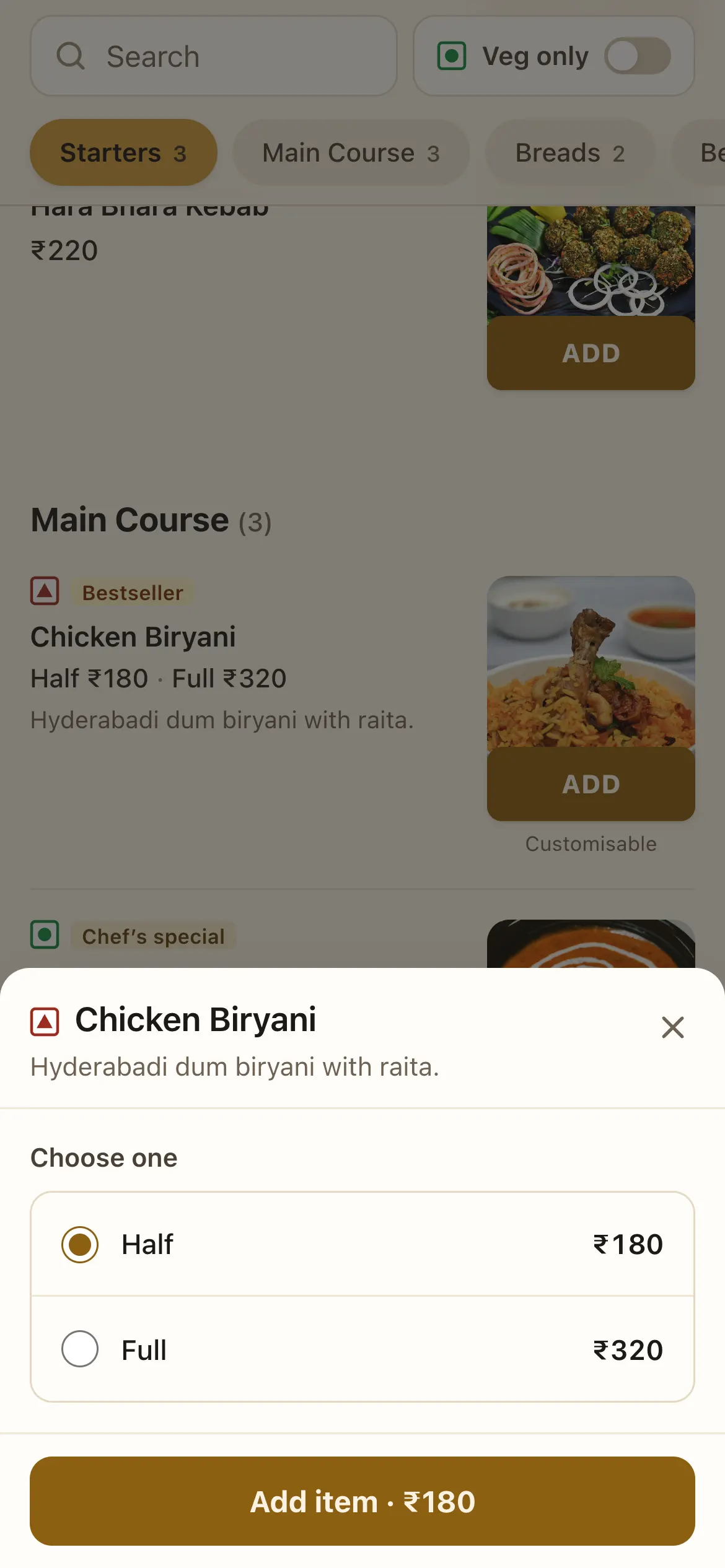
Table and parcel ordering
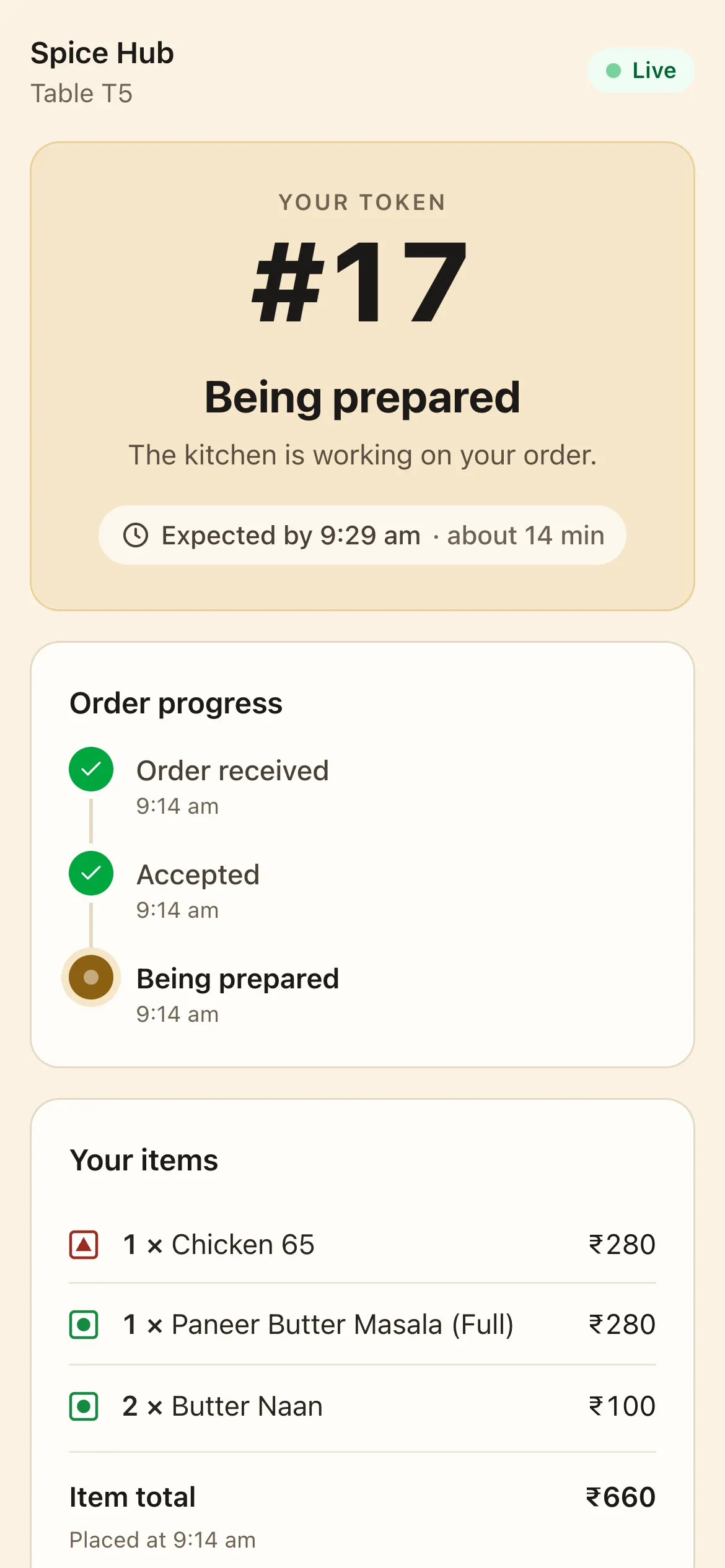
Guests order themselves; you decide how much you want to know about them and when they pay.
- Table QR: everyone at the table adds to one running bill until it is settled
- Parcel QR at the counter: name and mobile, and a pickup token number
- Notes on each dish and for the restaurant (“less sugar”, “extra plates”)
- Live status for the guest — received, accepted, being prepared, ready — with an expected time
- Name, mobile and email can each be Off, Optional or Required, per order type
- Optional: staff approve the first order of each table, to stop prank orders
- Pay at the end (default) or pay first at the counter, QSR-style
Counter
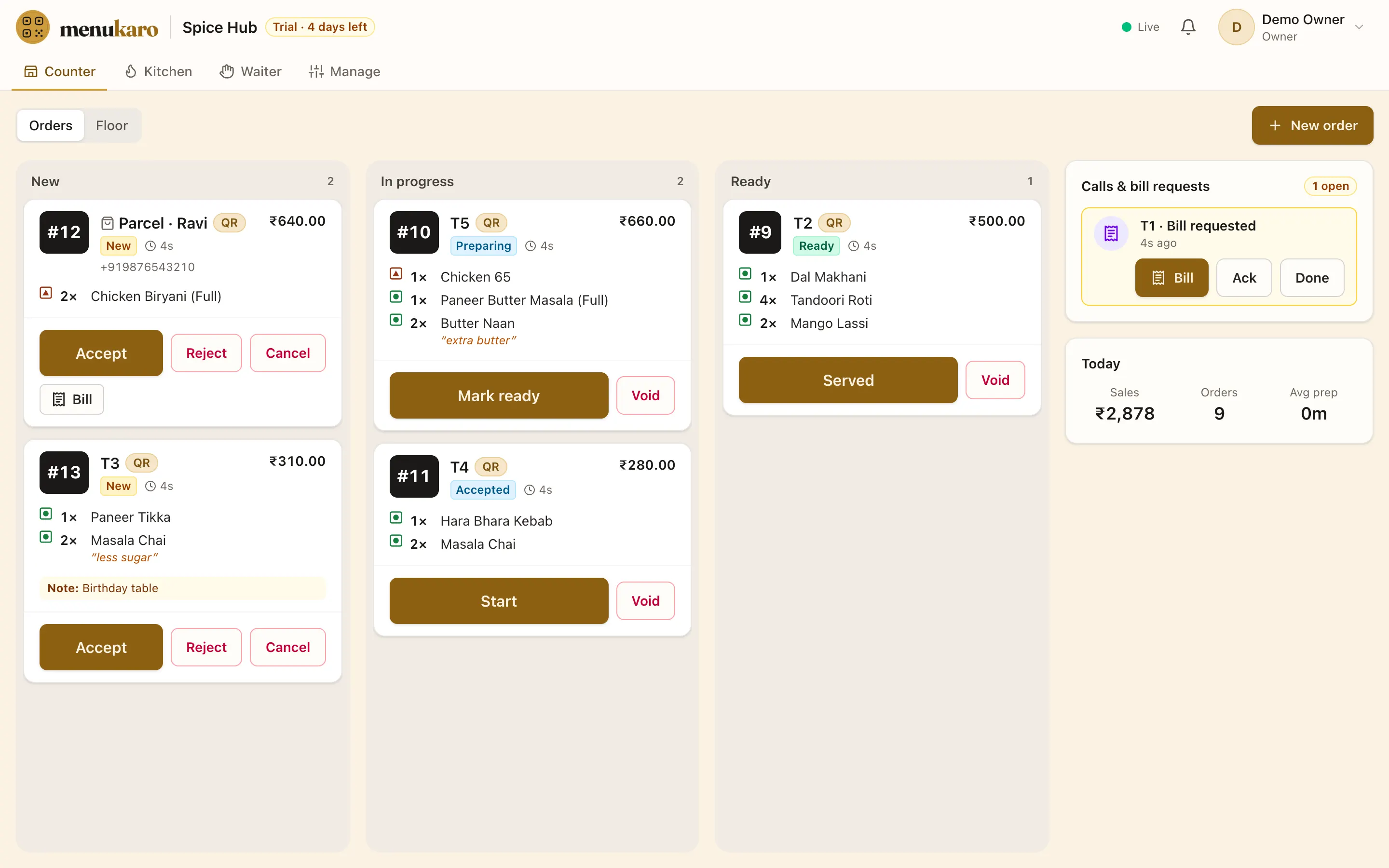
Always on, on any laptop, tablet or phone. It runs a one-person café alone, or backs up a full team.
- Orders board: New, In progress and Ready, with the order number, table and time
- New QR orders ring until someone accepts them, and escalate if nobody does
- Floor view of every table: free, occupied or asking for the bill
- Take walk-in and phone orders yourself with New order
- Billing, discounts within each role's limit, and Mark paid (cash)
- Takes over any step whose screen is switched off
Kitchen screen
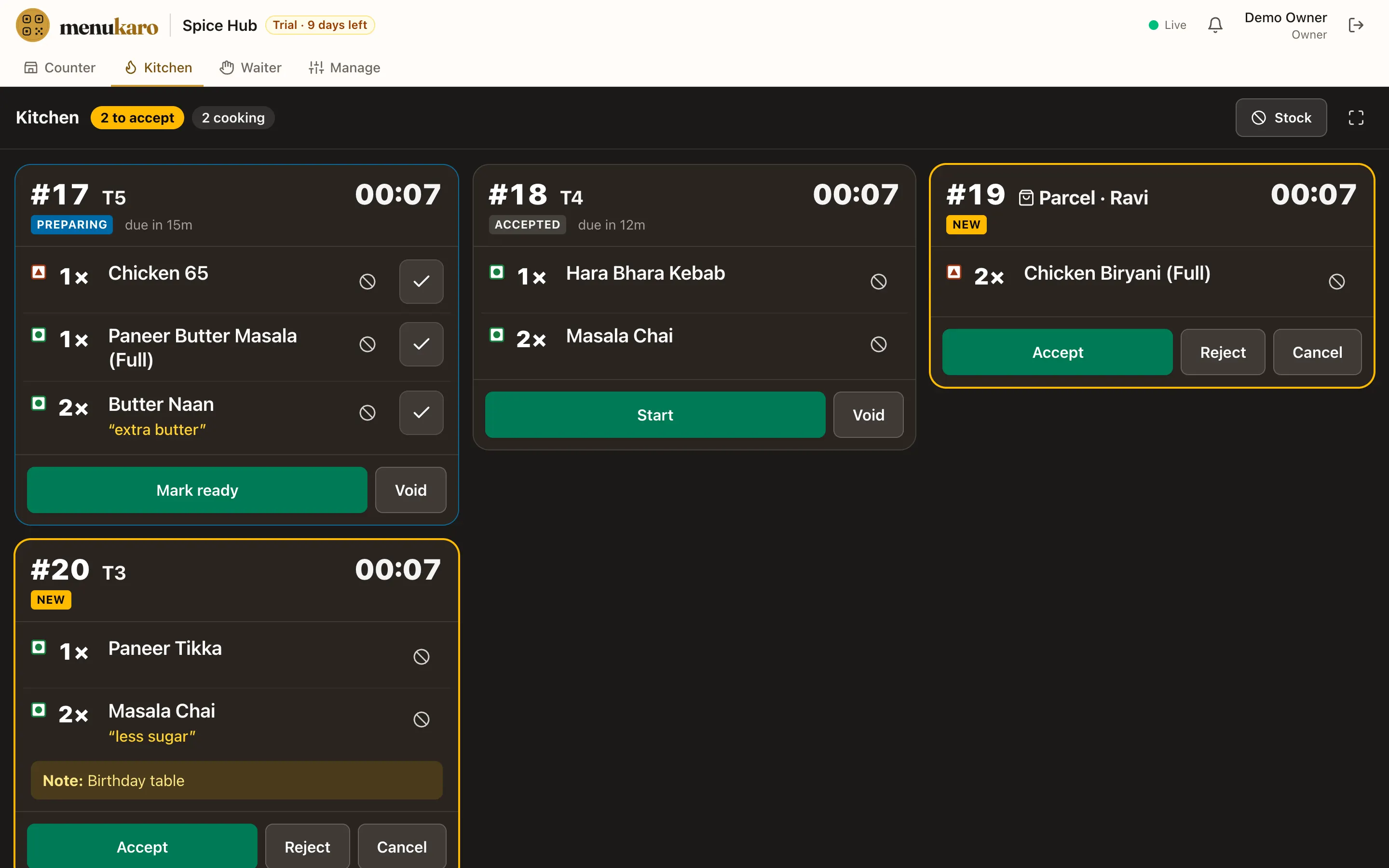
A tablet or TV in the kitchen replaces shouted orders and lost chits.
- Large tickets with a running timer and a due time for each order
- Accept, Start and Mark ready — for the whole order or dish by dish
- Mark a dish sold out from the kitchen; guests stop seeing it
- Orders running late are flagged so the counter and waiters know
- Full-screen mode for a wall-mounted TV
Waiter and runner phones
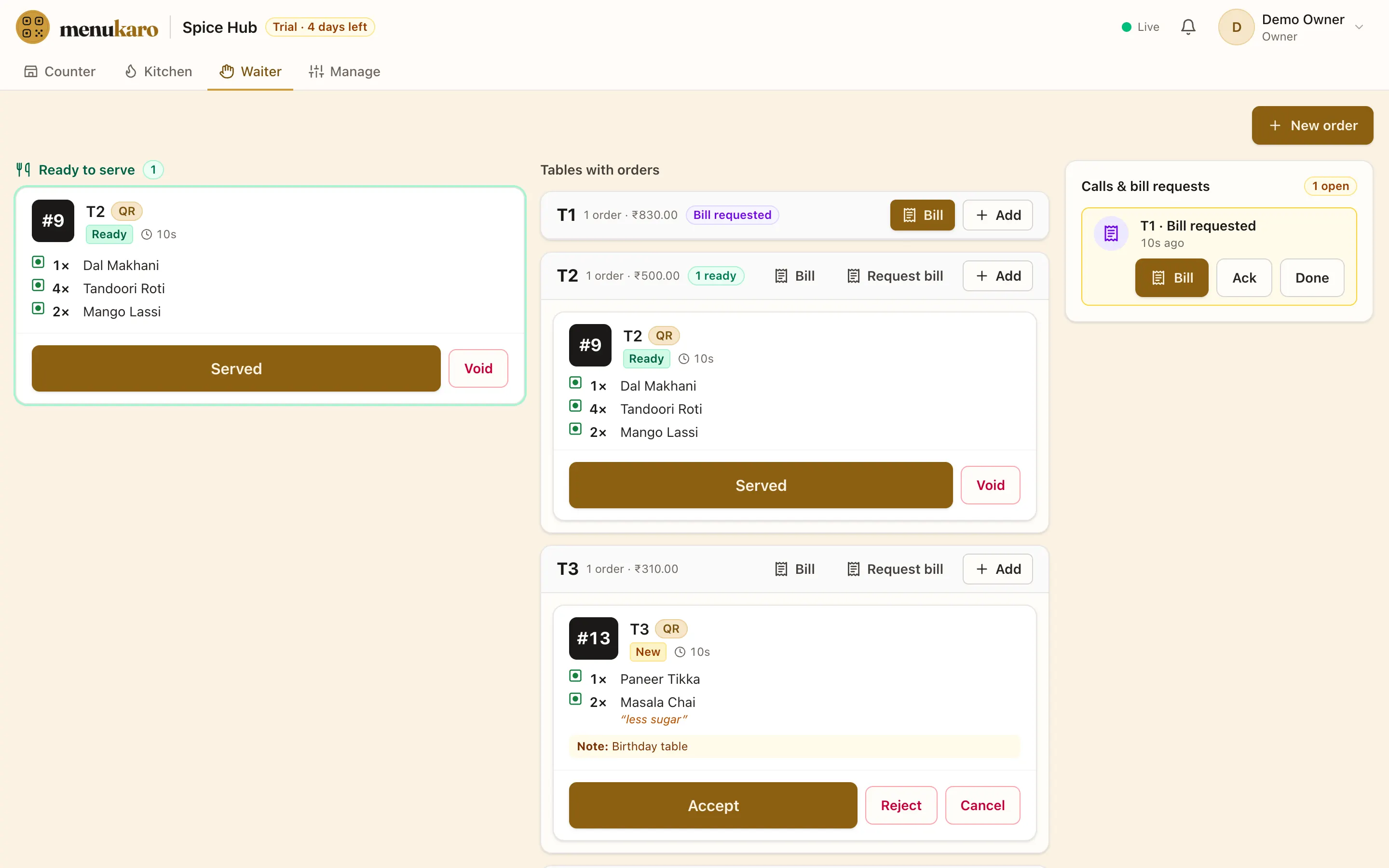
Captains and waiters keep their phones; the app tells them what to serve and who is calling.
- Ready to serve: food waiting at the pass, with one tap for Served
- Tables with running orders, with Add items and Bill on each
- Call waiter and bill requests with Acknowledge and Done
- Waiters can take orders for guests who would rather tell a person
- A Runner role for helpers who only carry food to tables
Billing and GST
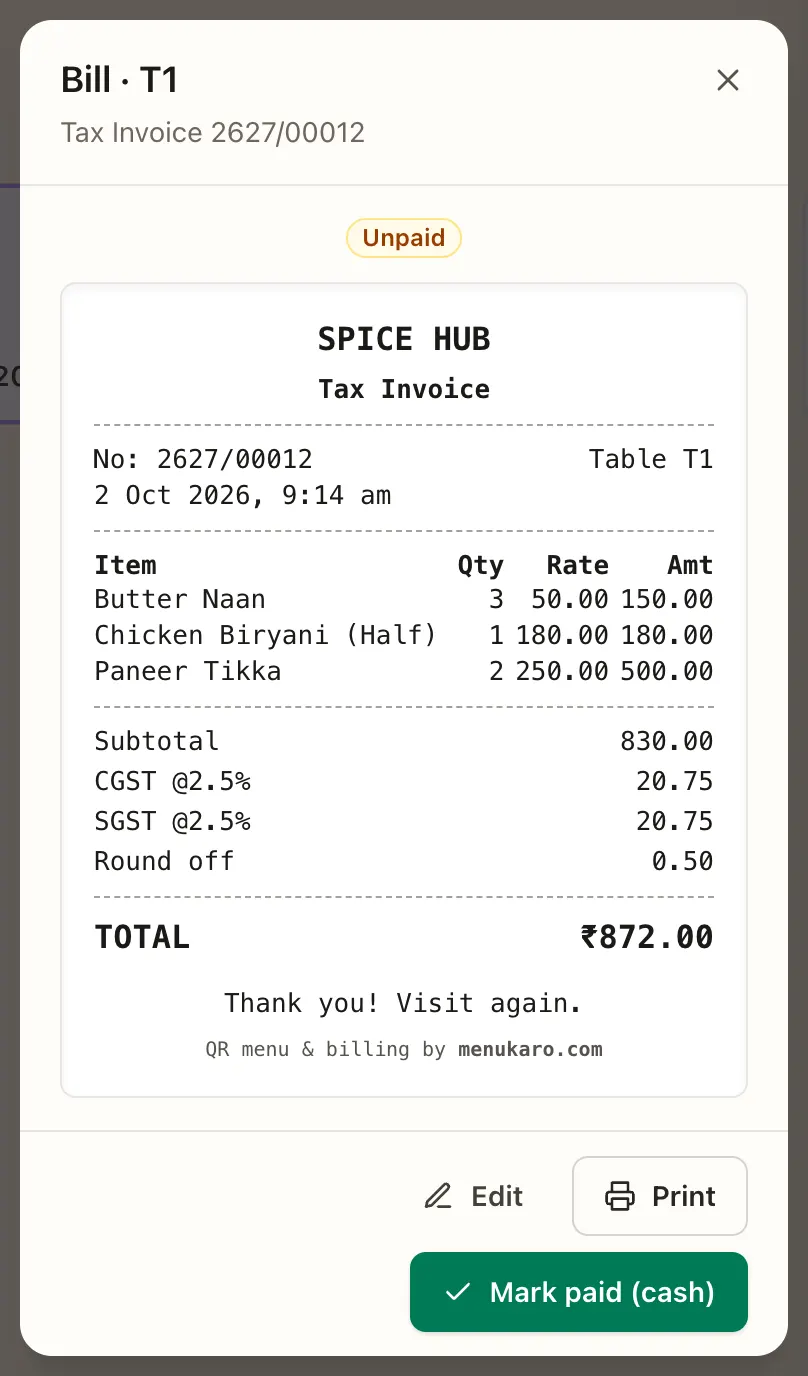
Set your tax type once. Every bill follows it, so the counter never needs a calculator.
- Tax invoice or bill of supply, depending on your GST registration
- CGST and SGST split automatically, with round-off
- Invoice numbers in sequence, restarting every financial year
- “Need a GST invoice?” — guests can give their GSTIN at bill time
- Print an 80 mm bill from the browser, or show the bill on the guest's phone
- Cash payments recorded at the counter; UPI and cards inside Menu Karo also available
Menu editor
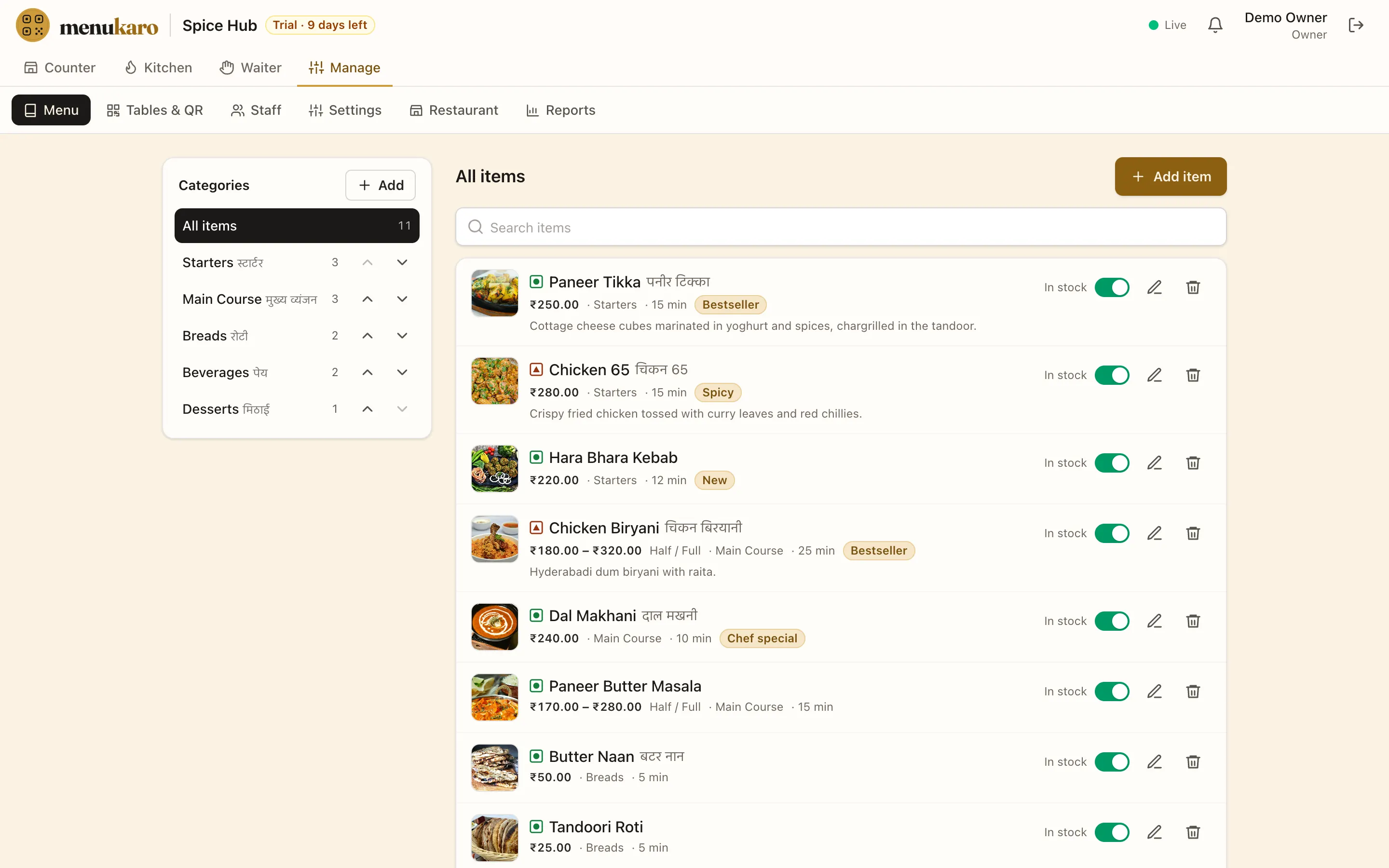
Change anything, any time. Guests see it within a minute and the QR on the table never changes.
- Categories and dishes with Hindi names, descriptions and prep times
- Portions (Half / Full) and tags
- Dish photos: upload from your phone or paste a link
- In-stock switch on every dish
- Price changes are recorded with who made them
Insights: revenue and growth
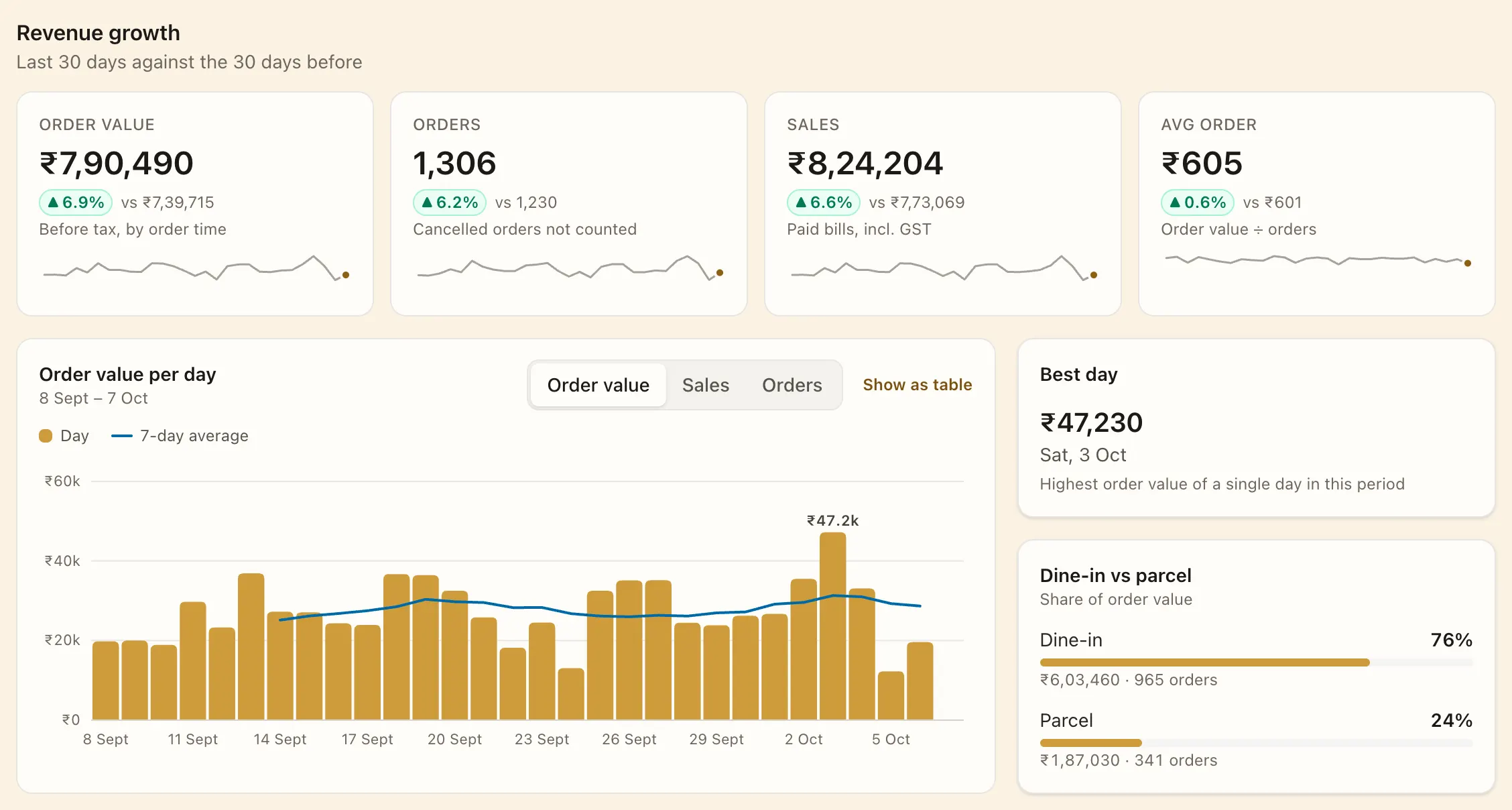
One page that shows how the business is doing — for today, the last 7 or 30 days, 3 months or a year.
- Today, live: the running total against yesterday and the same day last week, at the same time
- Order value, orders, sales and average order, each against the period before (▲ / ▼ %)
- A daily chart with a 7-day average, and your best day of the period
- Dine-in against parcel, as a share of order value
- Tips written from your own numbers, such as a dish that's falling or a quiet hour
- Works on a phone, so you can check from anywhere
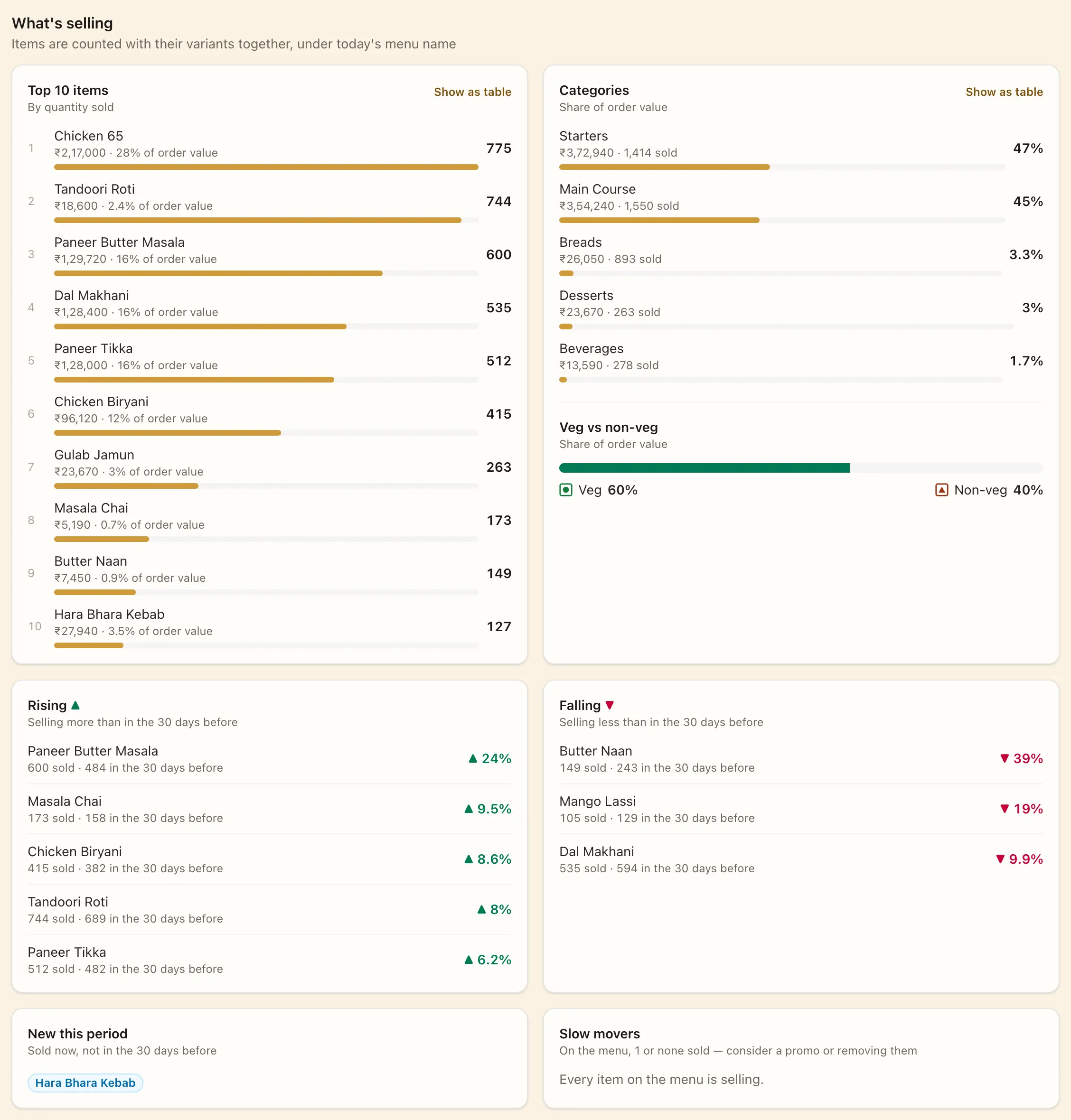
What's selling
Know which dishes earn the most, which are catching on, and which only take up space on the menu.
- Top 10 dishes by quantity, with their share of order value
- Categories and veg against non-veg, as a share of order value
- Rising and falling dishes against the period before
- New this period, and slow movers — on the menu but hardly ordered
Busy hours and festival days
Plan staff and stock for the rush you already know is coming.
- Orders by day and hour, with your busiest hour and best weekday
- Breakfast, lunch, evening, dinner and late night: their share and the 3 dishes that sell most in each
- Festivals and holidays in the next 60 days, by region
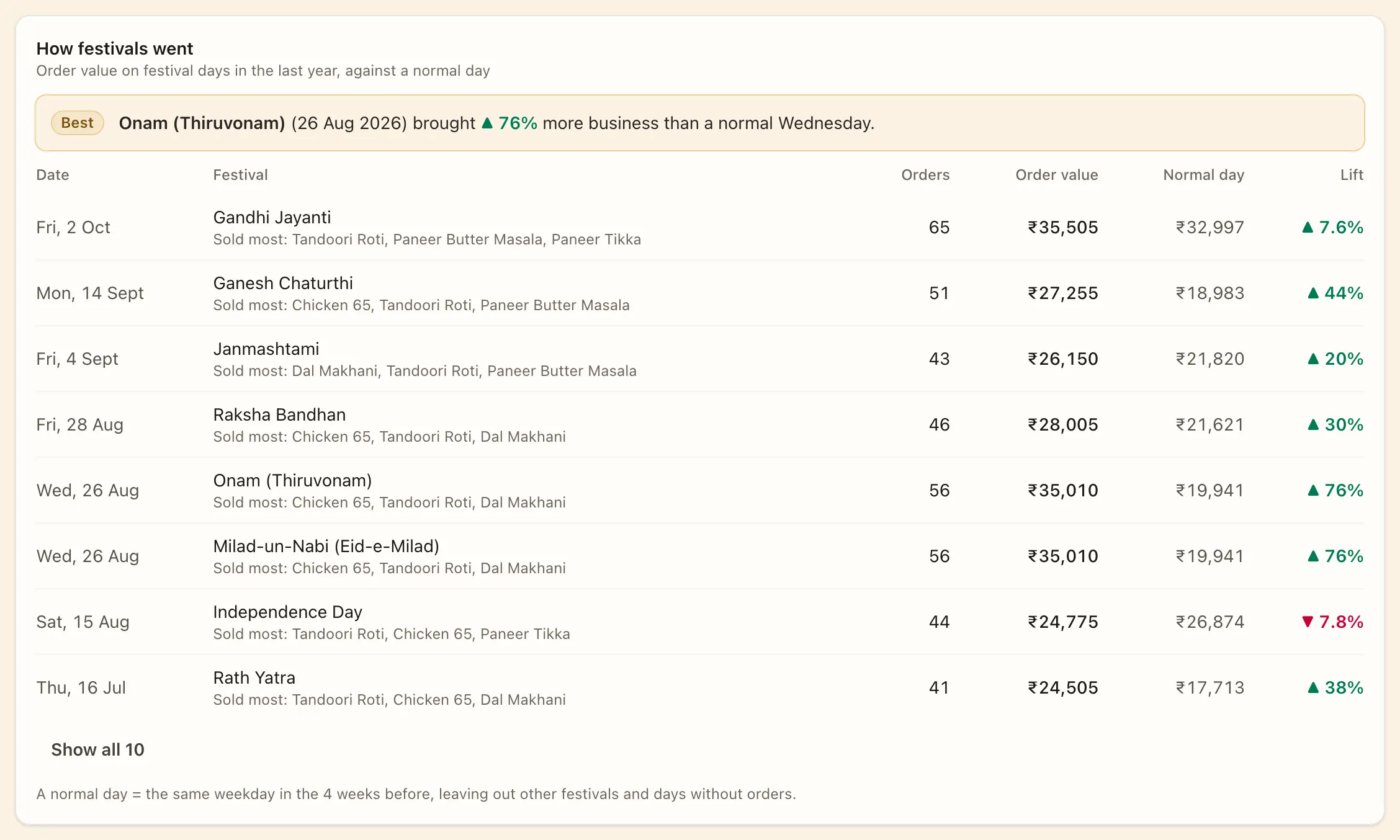
- How past festivals went: orders and order value against a normal day, and what sold most
- Trends in your area: what's popular at Menu Karo restaurants in your city — anonymous shares only, never names or amounts
Reports and order log
At closing, the day is already added up — and every order is there when your accountant asks.
- Daily sales, orders, items sold and QR scans, with top items
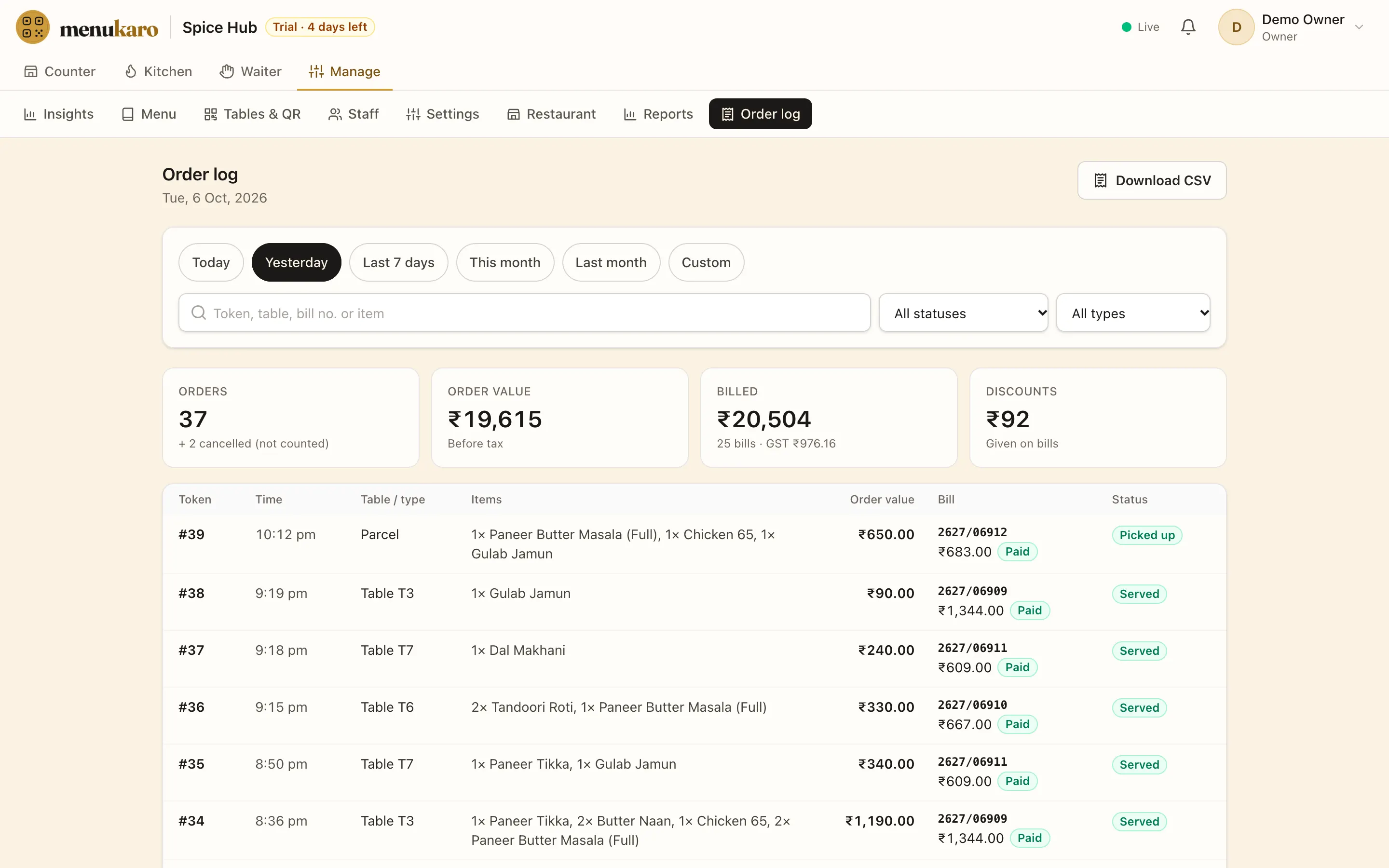
- Order log: every order of a day or date range with token, table, items, order value, bill and status
- Search by token, table, bill number or dish; filter by status and dine-in or parcel
- Totals for the range: orders, order value, billed amount with GST, and discounts
- Download CSV — opens in Excel or Google Sheets
- An Accountant login that can see the numbers without touching orders
Backups and login security
Your restaurant's data is backed up every night, and your login is protected beyond a password.
- Every night a full, encrypted backup is saved apart from the app's server and kept for 30 days
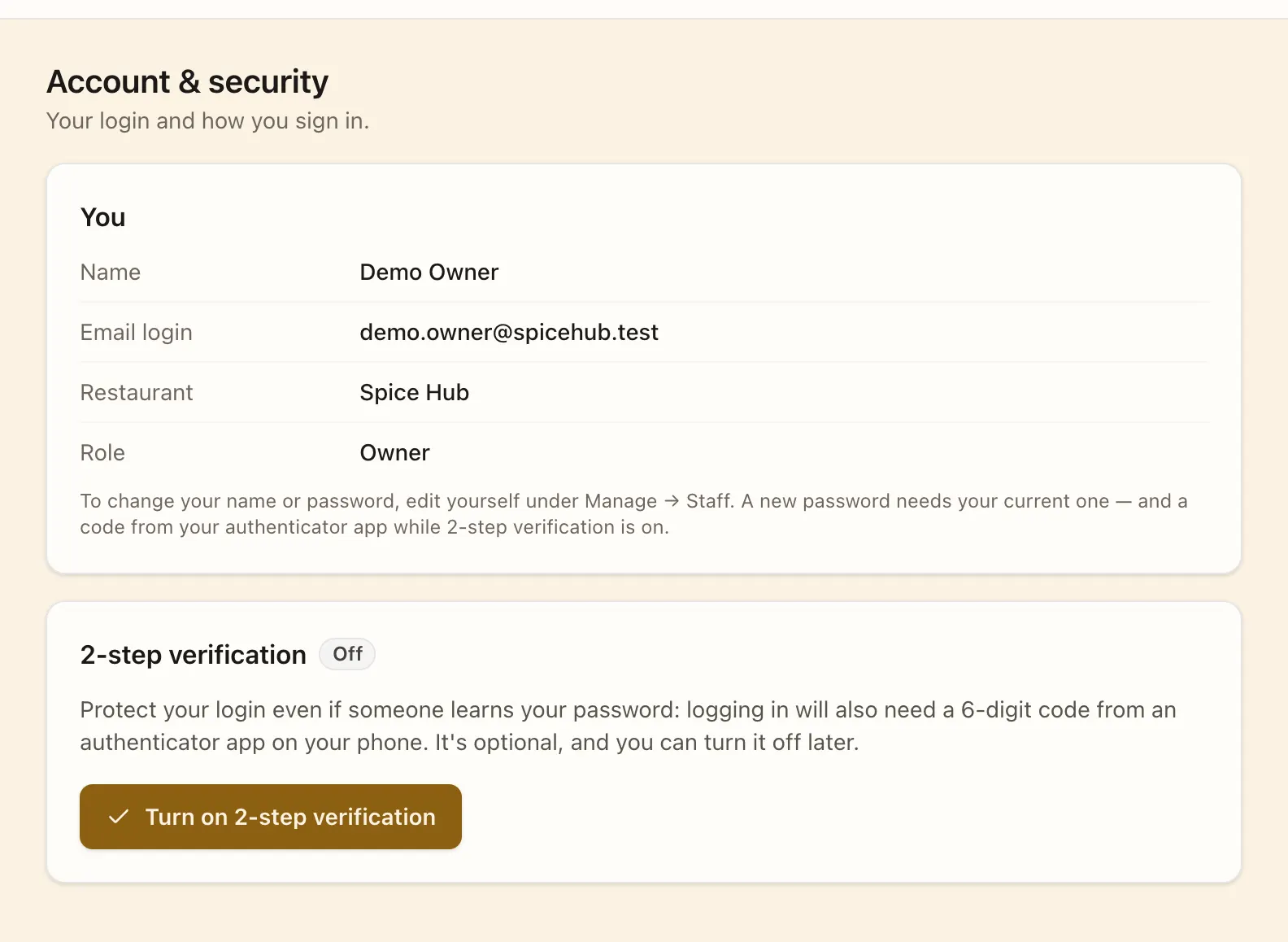
- Optional 2-step verification with an authenticator app, with one-time recovery codes
- Email alerts when your password or 2-step login changes
- Forgot password? Reset it with a link to your email, valid once for 30 minutes
- A new password needs your current one, and logs you out on every other device
Staff roles, privacy and security
A screen for each job
Ready-made roles — each person sees only their work. One person can hold several roles and still counts as one staff login. Roles whose screen is switched off simply don't appear.
- Owner
- Admin
- Manager
- Cashier
- Captain
- Waiter
- Runner
- Chef
- Accountant
- Each restaurant's data is kept apart from every other restaurant in the database itself, not just hidden on screen
- Guests' mobile numbers are masked for most staff roles
- Discount limits per role; voids, discounts and price changes are recorded with who did them
- Guest contact details are erased automatically 90 days after the order by default
- Data is stored in India, and backed up every night
More features
More features, on the same app
All available — tell us what you need and we switch it on for your restaurant.
-
Thermal printing
KOT, bill and token printing on thermal printers.
-
OTP by SMS / WhatsApp
Verify guest mobile numbers for parcel orders.
-
Offers and coupons
Happy hours and discount codes on the menu.
-
Your logo and colours
Custom branding without “Powered by Menu Karo”.
-
Hotel room service
Room QR, stays, stay PIN and charge-to-room.
-
Multi-outlet chains
Several outlets and branches under one account.
-
UPI and online payments
Guests pay from the bill on their phone.
-
Inventory and loyalty
Stock tracking and repeat-guest rewards.
Screens shown are from our demo restaurant, Spice Hub, with sample data. Questions about a feature? Call +91 94041 57876.
Start your 14-day free trial today
Set up your menu and tables, print the QR cards and take your first real order. No card needed. Prefer to talk first? Call us and we'll walk you through it.