
For restaurants and dhabas
QR code menu and table ordering for restaurants
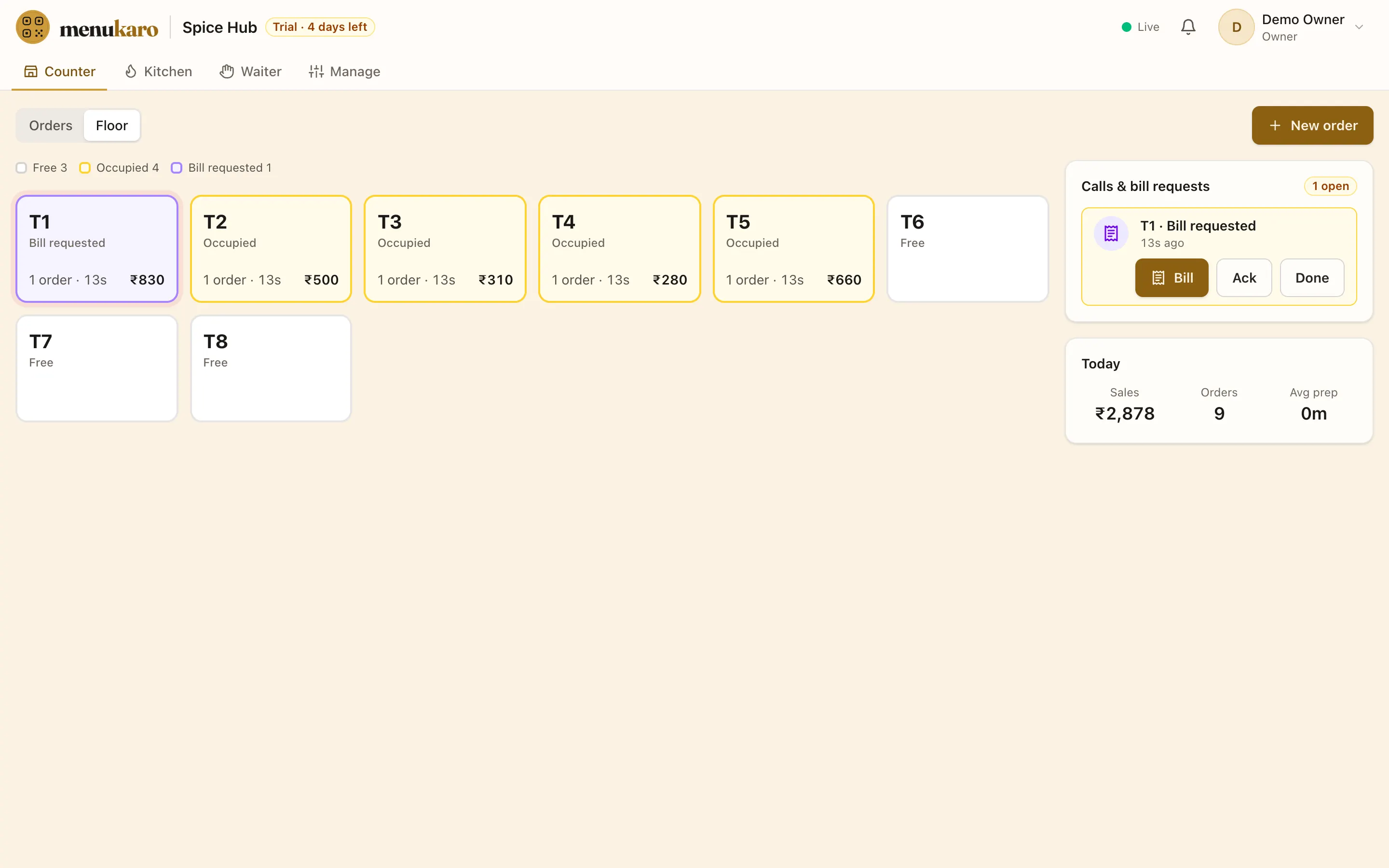
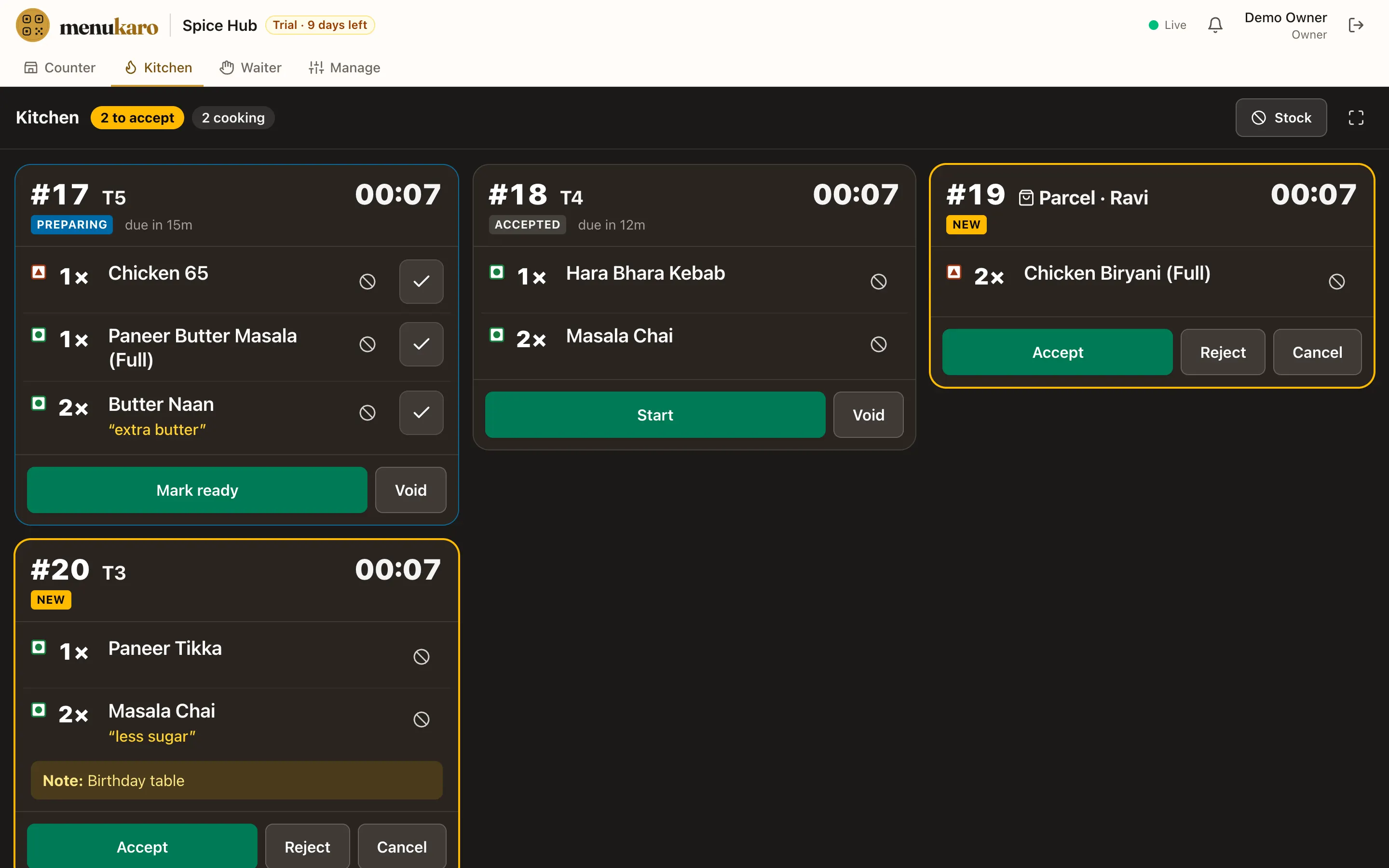
Guests order from the table on their own phone; your kitchen, captains and counter each see what they need. Fewer missed orders on a full night, and no adding up bills by hand.
One table on a busy night
-
7:42 pm
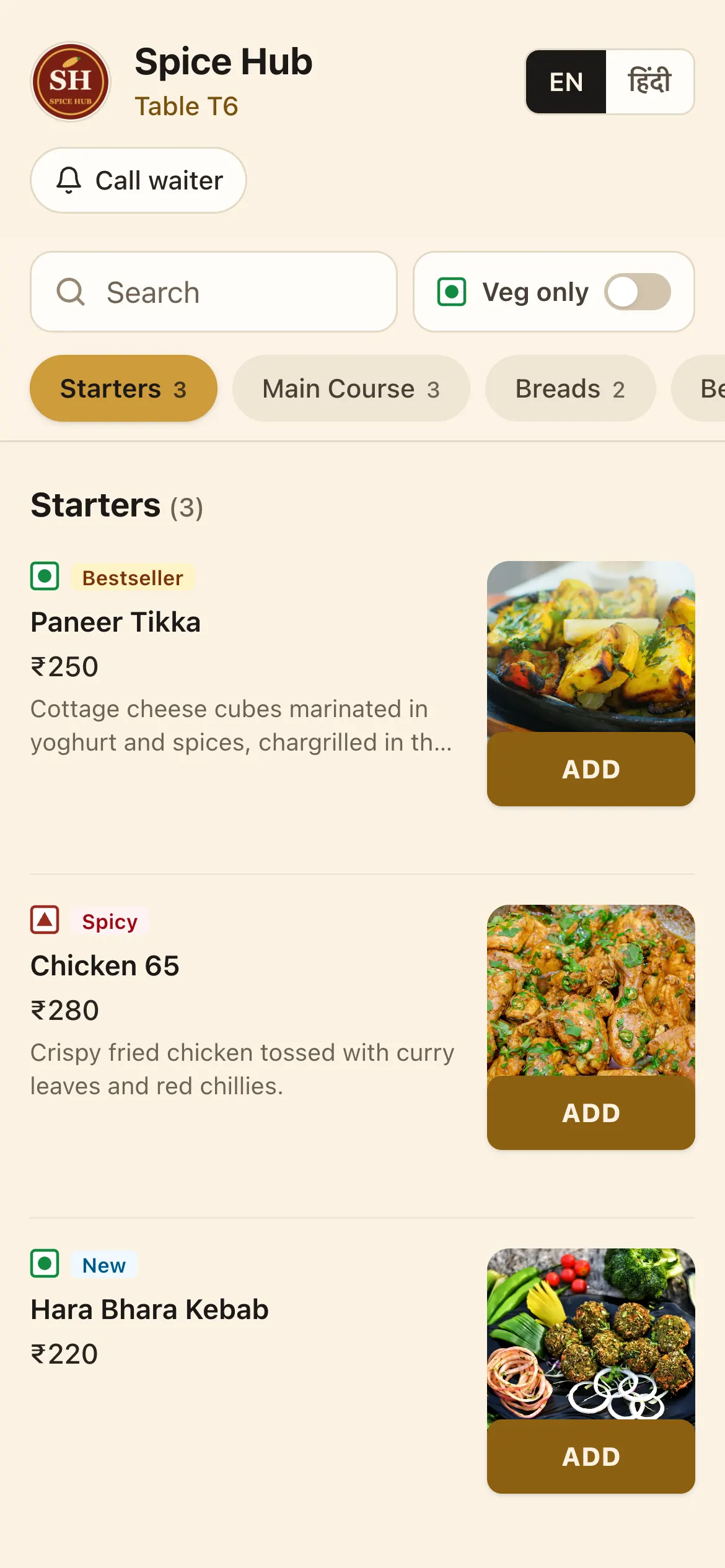
A family at table 5 scans the QR. The menu opens in Hindi for the grandparents and English for the kids.
-
7:45 pm
They order Paneer Tikka, a Half Chicken Biryani and two lassis. The order rings on the counter and appears on the kitchen screen.
-
7:46 pm
The chef taps Start. The family's phone now shows “Being prepared”, with an expected time.
-
7:58 pm
The chef taps Ready. The section waiter's phone buzzes: food for table 5 is at the pass.
-
8:20 pm
They add two butter naan from the same QR — it goes on the same running bill.
-
8:40 pm
They tap Request bill. The counter sees it, the GST bill is already worked out, and it's marked paid in cash.
An illustration of how the screens work together, not a customer story.
Pick the setup that matches your floor
Menu Karo adapts to how your restaurant already works. Switch the kitchen screen and waiter app on or off — whichever is off, the Counter covers that step. The price doesn't change.
| Your restaurant | Switch on | Who accepts QR orders | Who serves |
|---|---|---|---|
| Full service or fine dine | Kitchen screen + waiter phones | Chef, on the kitchen screen | Waiter taps Served; calls go to the section's waiter |
| Family restaurant or dhaba with captains | Waiter phones (no kitchen screen) | Captain or counter | Waiter; the captain passes the order to the kitchen as today |
| Busy restaurant with a kitchen tablet, no table service | Kitchen screen | Chef | Counter or a runner; the guest is told when it's ready |
| Small restaurant run from the counter | Counter only | Counter (the owner) | Counter; one tap marks it served |
Built for how Indian restaurants work
-
Half / Full portions
Each portion with its own price, exactly as on your printed menu.
-
English and हिंदी
Guests switch language on the menu; you add Hindi names once.
-
Veg / non-veg marks
The green and red marks guests expect, plus a veg-only filter.
-
GST the way you file it
5% restaurant GST split into CGST and SGST, or a bill of supply.
-
Orders through a person, too
Guests who'd rather tell a waiter can; staff add orders to the same bill.
-
No prank orders
Optionally approve each table's first QR order before it reaches the kitchen.
Which plan for how many tables?
-
Up to 10 tables
Full Flow Starter
₹999 / month + 18% GST
5 staff logins · 1,500 orders / month
-
Up to 30 tables
Full Flow Growth
₹1,999 / month + 18% GST
15 staff logins · 5,000 orders / month
-
Unlimited tables
Full Flow Pro
₹3,999 / month + 18% GST
Unlimited staff logins · 15,000 orders / month
Restaurant owners ask
Will older guests manage with a QR menu?
Most guests scan and order without help, and nobody has to. Anyone can still order through a waiter: staff place the order in Menu Karo and it joins the same table bill.
Can several people at one table order from their own phones?
Yes. Everyone who scans the table's QR adds to the same running bill until it is settled at the counter.
What stops someone ordering with a photo of the QR from outside?
Each table's QR uses a random code, not a table number, and you can regenerate it any time. You can also switch on first-order approval, so staff confirm a table's first QR order before it goes to the kitchen.
Which plan fits my restaurant?
It depends on your tables: Starter for up to 10 tables, Growth for up to 30 and Pro for more. All three include the counter, kitchen screen and waiter app.
Start your 14-day free trial today
Set up your menu and tables, print the QR cards and take your first real order. No card needed. Prefer to talk first? Call us and we'll walk you through it.